How to Align Your Spine Correctly While Sitting at a Home Office Desk
Support your lower back with a firm, medium-density lumbar cushion placed at the small of your back, and keep your hips level to maintain a neutral spine-avoid thick cushions that push you forward. Set chair height so your knees are at or slightly below hip level, with feet flat and 2–4 inches between knees and seat edge. Position your keyboard at 90-degree elbows and monitor 15–20 inches away, top at eye level. Use an adjustable arm or stand for precision. Take movement breaks every hour to reset alignment and ease disc pressure. Consistency matters more than perfect gear-a small daily effort brings real results. The details that follow refine each step for lasting comfort.
Notable Insights
- Use a lumbar cushion to support the lower back and maintain natural spinal curvature.
- Adjust chair height so knees are at or slightly below hip level.
- Keep feet flat on the floor with even pressure and heels down.
- Position the monitor 15–20 inches away with the top at or just below eye level.
- Take hourly movement breaks to reset posture and reduce spinal disc pressure.
Support Your Lower Back and Level Your Hips
A well-supported lower back and level hips form the foundation of healthy sitting posture, so don’t skip this step-it’s non-negotiable for spinal alignment. You need a lumbar cushion that matches your spine’s natural curve-look for firm, medium-density foam, not soft pillows that collapse. Position it at the small of your back to prevent slouching. At the same time, avoid overdoing the pelvic tilt; a slight posterior tilt is fine, but excessive adjustment strains ligaments. Level hips matter just as much-your pelvis should sit neutral, not rotated forward or tucked. A contoured seat pan helps, but if your chair lacks support, a cushion with moderate thickness (1.5–2 inches) can balance pressure. Avoid bulky designs-they push you forward and undo alignment. Real-world testing shows sustained comfort peaks at 30–60 minutes with proper setup, but keep shifting; no single fix eliminates the need to move. Consider using a standing desk mat with massage features to encourage subtle movement and improve circulation during transitions between sitting and standing.
Set Your Chair Height for Better Spine Alignment
You’ve got your lower back supported and hips level-now it’s time to get your chair height right, because even with perfect lumbar support, poor seat height can throw off your spine’s alignment from the ground up. Adjust your chair so your knees are at or just below hip level, allowing feet to rest flat with good foot placement-heels down, pressure spread evenly. Your chair depth matters too: sit with 2–4 inches between the back of your knees and the seat edge to avoid cutting off circulation. If your chair doesn’t offer depth adjustment, you may need to reposition it or consider a model with better customizability. While many budget chairs limit adjustability, mid-tier ergonomic designs often include seat depth and height levers tested to support 24/7 use. Remember, even the best chair won’t fix poor posture if you ignore simple setup steps like these. A well-designed ergonomic office chair supports both comfort and proper spinal alignment throughout the workday.
Position Your Desk and Keyboard to Reduce Strain
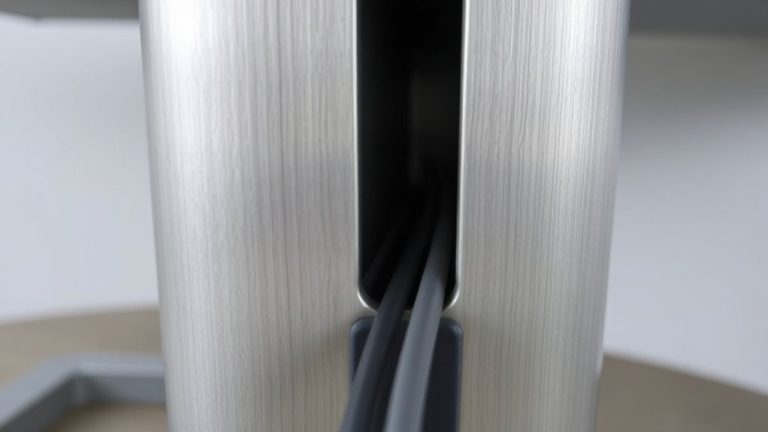
With your chair properly adjusted, focus next on your desk and keyboard placement-because even minor misalignments here can lead to shoulder tension, wrist strain, or slumped posture over time. Position your keyboard so your elbows rest at 90 degrees, wrists straight, and forearms parallel to the floor. A desk that’s too high or low forces compensations that disrupt spinal alignment. Use a simple tray or adjustable mount to fine-tune height if needed. Pair this with ergonomic lighting-positioned to the side or behind your monitor-to reduce screen glare and eye strain, which can indirectly affect posture. Good cable management isn’t just tidy; it prevents accidental tugs and keeps your workspace predictable. However, avoid overpriced setups marketed as “ergonomic miracles”-many deliver minimal benefits beyond basic adjustability. Test changes over days, not hours, and trust comfort over claims. Consider trying a best ergonomic keyboard to support natural hand positioning and reduce long-term typing discomfort.
Align Your Monitor at Eye Level to Protect Your Neck
Ever wonder why your neck aches after a long workday? It’s likely due to poor monitor height. If your screen sits too low, you’re forcing your neck into a forward tilt, causing strain over time. To prevent this, align the top of your monitor at or just below eye level-roughly 15–20 inches from your face. This position keeps your spine neutral and reduces neck strain notably. You don’t need a costly stand; stack books or use an adjustable monitor arm for precise height control. Built-in adjustable stands on most modern monitors offer 5–6 inches of vertical range, which is often enough. Just avoid propping laptops on books without a separate keyboard-you’ll save space but risk wrist and neck issues. Test adjustments over a full day, not minutes. Small tweaks make a measurable difference.
Move Every Hour to Maintain Spine Alignment
Regularly getting up from your seat every hour isn’t just a suggestion-it’s essential for keeping your spine properly aligned throughout the day. Hourly movement breaks help prevent stiffness and give your back a chance to reset. You don’t need fancy gear or apps, though some use timers or smart watches to remind them. Simply standing, stretching, or walking for two to five minutes counts. These brief pauses act as spinal resets, easing pressure on discs and realigning posture before bad habits creep in. It’s not about intensity-it’s consistency. Sitting too long, even with perfect posture, still strains your spine. That’s why motion matters more than cushioning or chair design. Just avoid turning breaks into screen time on your phone. Real movement is the goal. Over time, this small effort reduces back pain risk and boosts focus. No gear guarantees success-just discipline and routine.
Make Posture Checks a Daily Habit
You’ll probably notice better spinal alignment over time if you make posture checks a daily habit-but only if you do them consistently and with honest self-assessment. Building spine awareness doesn’t require special gear; it just takes intentional pauses to evaluate your sitting form. Use habit tracking to stay accountable, setting reminders at 10:00, 14:00, and 17:00 to assess your posture.
| Time | Checkpoint |
|---|---|
| 10:00 | Feet flat, spine tall |
| 14:00 | Shoulders relaxed |
| 17:00 | Lower back supported |
| Evening | Review habit tracker |
Note misalignments promptly. Over time, you’ll see patterns in slouching or tension. While apps can aid tracking, they’re not essential-consistency matters more. This habit works best with a neutral seat and adjustable desk, but even minimal setups benefit. Results vary, yet most report less back strain within two weeks.
On a final note
You’ll stay aligned if you support your lower back and keep hips level, but no chair fixes poor habits. Set seat height so feet rest flat, knees under hips. Position keyboard close, elbows bent 90°, and monitor at eye level-about an arm’s length away. Swap sitting for standing or walking every hour. Do posture checks daily. Even quality gear won’t help if you ignore movement and ergonomics over time.