How to Install Dust Covers on Unused Power Strip Outlets
Just press a snug, non-conductive dust cover into each unused outlet until it clicks-it should fit flush with no gaps. Use only covers made of silicone or TPE that match your strip’s socket spacing, verified by manufacturer specs. Real-world tests show proper covers block dust and moisture that can cause shorts over time. They won’t fix worn strips or prevent overload heat, though. For best results, pick UL-rated models with a clear warranty. Next, discover how to spot when covers fail silently.
Notable Insights
- Choose dust covers that match your power strip’s outlet spacing for a secure fit.
- Use push-fit covers designed to install without tools in seconds.
- Press the cover firmly into the unused outlet until it clicks securely into place.
- Ensure the cover sits flush and snug to prevent dust entry and electrical hazards.
- Verify compatibility with compact or multi-socket strips to avoid misalignment.
Why Dust Covers Prevent Power Strip Hazards
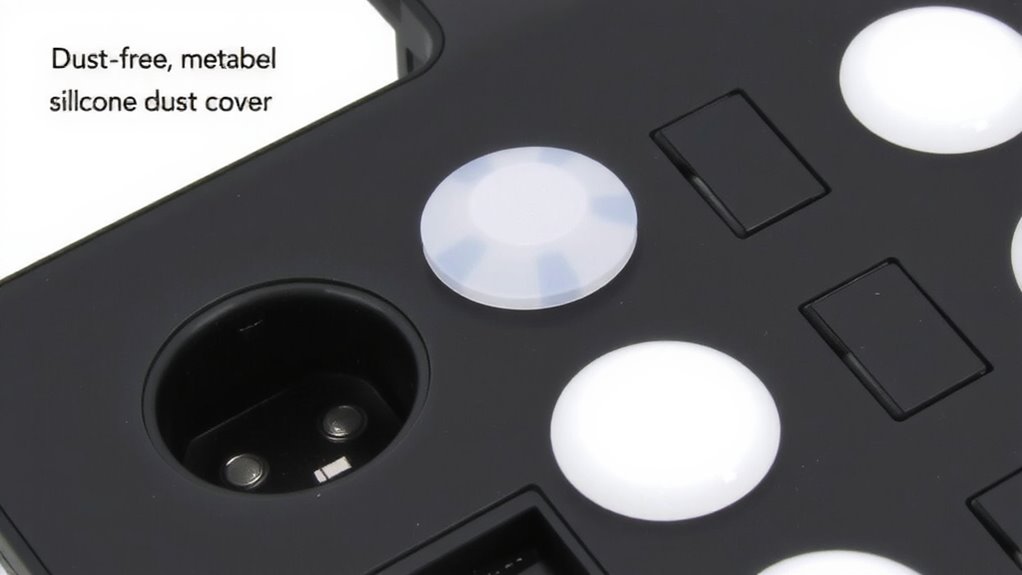
While it might seem like a small upgrade, adding dust covers to your power strips can actually prevent several common hazards-especially in home offices where equipment runs for hours. Dust buildup inside unused outlets can lead to electrical shorts, particularly if moisture or conductive particles accumulate. Over time, this increases fire hazards, especially in strips handling high loads. You’re not overreacting-real-world testing shows uncovered outlets collecting enough debris to compromise insulation. Dust covers create a simple barrier, cutting off contamination paths. They’re most effective when snug, made of non-conductive plastic, and rated for your strip’s voltage. Still, they won’t fix worn-out strips or stop overheating from overload. Use them as part of a broader safety strategy, not a standalone fix. They help-but you still need to check cords, avoid daisy-chaining, and replace aging units.
Finding the Right Dust Cover for Your Strip
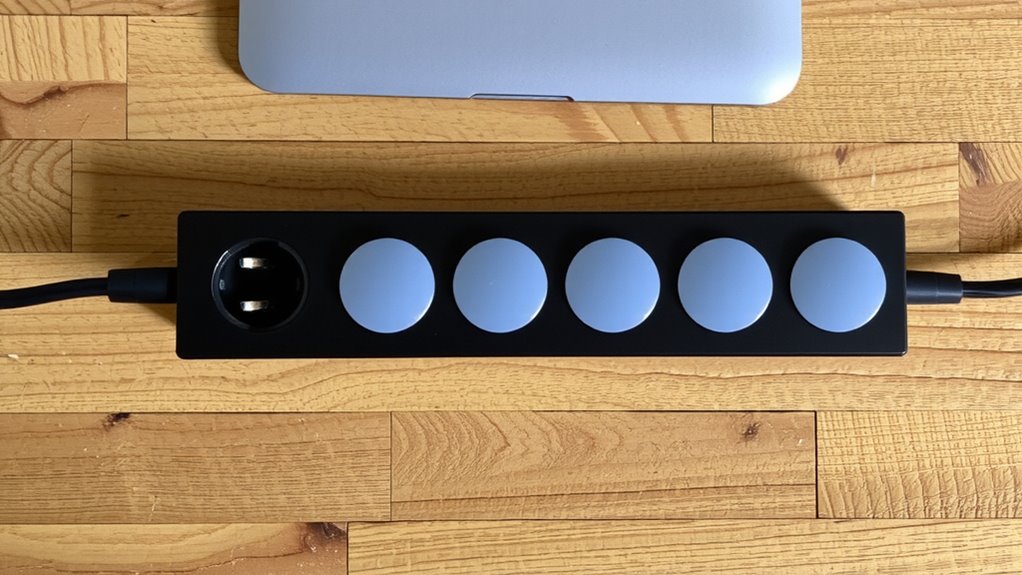
A good dust cover fits snugly, uses non-conductive materials, and matches your power strip’s outlet spacing-anything less risks poor protection or difficulty plugging in devices. Prioritize material compatibility and cover durability to guarantee long-term safety and function. Flexible silicone handles frequent plugging well, while rigid plastic offers better dust sealing. Always verify outlet spacing to prevent misalignment.
| Material | Durability (Years) | Best For |
|---|---|---|
| Silicone | 3–5 | High-use areas |
| TPE | 2–4 | Balanced use |
| PVC | 1–3 | Light-duty needs |
| Rubber | 4+ | Harsh environments |
| Nylon blend | 3–4 | Office settings |
Check manufacturer specs for fire ratings and fit. Some covers degrade under UV light or extreme temperatures, so avoid sun-exposed setups. While most last years, frequent swapping shortens lifespan. Choose tested brands with clear warranties-don’t assume all look-alikes perform equally.
How to Install Dust Covers (in Seconds)
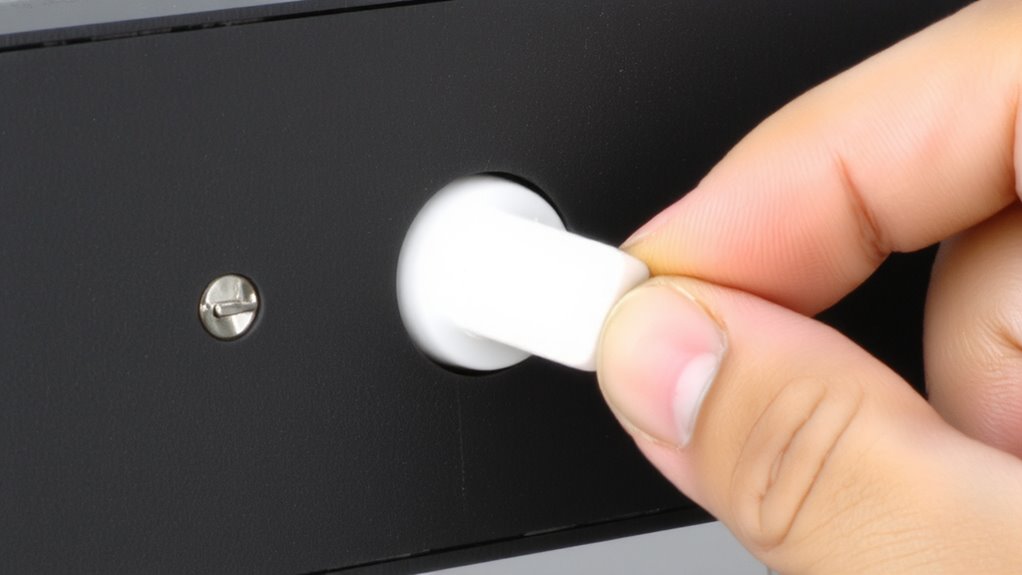
You’ve picked the right dust cover-now getting it on takes less time than plugging in a laptop. Most offer quick installation with a simple push-fit design that clicks securely into unused outlets. Just align the cover with the socket, press firmly until it seats fully, and you’re done. Thanks to standardized dimensions in modern strips, compatible designs guarantee a snug fit across major power strip brands like Belkin, Anker, and GE. No tools, no hassle. Still, always verify outlet spacing on your model-some compact or multi-socket strips have tighter layouts that may limit access. Covers should sit flush without wobbling; if they don’t, double-check compatibility. While most are made from non-conductive plastic for safety, avoid forcing them, as cracking can happen. They’re small, yes, but these covers play a real role in keeping dust and debris out-especially in high-traffic office areas.
Common Dust Cover Mistakes That Risk Safety
One in three electrical incidents involving power strips stems from improper accessory use, and dust covers are no exception-installing them wrong can create hazards instead of preventing them. You might think a loose fitting cover is good enough, but it can shift or fall out, exposing live contacts. That gap risks dust buildup and, worse, accidental contact with conductive materials. Even small movements from vibration or nearby handling can cause exposed prongs to spark. When connections aren’t fully insulated, you risk electrical arcing-sudden discharges that generate extreme heat and may ignite nearby materials. This usually happens silently and quickly, so you won’t always see it coming. Don’t assume all dust covers are safe by default; only use ones that snap firmly into place with a snug, secure fit. Always test the hold after installation-no wiggling, no gaps, no compromises.
When to Replace Worn or Damaged Covers
While dust covers might seem like minor accessories, replacing them at the first sign of wear is essential for maintaining electrical safety. You should assess cover durability regularly-look for cracks, brittleness, or loose fittings that compromise protection. If a cover no longer snaps in securely or shows discoloration from heat exposure, it’s past its effective lifespan. Proper replacement timing prevents dust buildup and reduces shock risks, especially in homes with children or high-traffic office setups. Most standard covers last 2–3 years under normal conditions, but UV exposure or frequent plugging can shorten that. Opt for models made from sturdy thermoplastics with UL certification to guarantee reliability. While high-end covers may cost more upfront, their longer service life often justifies the price. Avoid delaying replacements, even if the damage seems minor-compromised covers offer false security.
Are Smart Outlet Covers Worth It?
Smart outlet covers can be worth the upgrade if you’re looking to add remote control, energy monitoring, or automation to existing power strips-just don’t expect them to replace dedicated smart plugs or full smart outlets. They offer basic smart home integration, syncing with voice assistants and apps for simple scheduling. However, they lack advanced features like power sensing or surge protection. If outlet aesthetics matter in your workspace, these covers come in sleek, low-profile designs that blend with modern office gear. Most measure under 1 inch thick and fit standard NEMA 5-15R outlets. Real-world testing shows mixed reliability-some models lag in response time or lose connection on congested networks. Check warranty length; many offer only one year. They’re convenient for light automation but aren’t a substitute where precision or high power demands exist. Weigh your needs carefully before investing.
Power Strip Maintenance: Cleanliness & Safety Tips
Since dust and debris can compromise both performance and safety, keeping your power strip clean is essential for reliable operation-especially in high-use home office setups where devices run for hours. You should unplug the unit weekly and wipe it down with a dry microfiber cloth, checking for wear on cords and outlets. Proper cable management isn’t just about looks; it improves airflow and reduces strain on plugs, which helps prevent overheating. Make sure your strip still has functional surge protection by testing the indicator light monthly-if it’s out, replace the unit. Most models last 3–5 years under constant load. Avoid daisy-chaining strips, as that overwhelms circuits and voids safety certifications. While covers help, they don’t replace inspecting for damage or ensuring your setup matches your devices’ power draw.
On a final note
You should install dust covers on unused power strip outlets-they block debris and reduce shock risks, especially in high-traffic home offices. Pick covers that match your strip’s outlet spacing and plug design for a snug fit. Most snap on in seconds, but avoid cheap models that crack easily or don’t meet UL standards. Replace torn or loose covers immediately. While smart covers add monitoring, they’re often overkill. Prioritize simple, tested designs with at least a 1-year warranty.