How to Select and Install Antivirus Software for Home Office Computers
You need antivirus software for your home office to protect sensitive data from malware, ransomware, and phishing attacks-especially with hackers targeting remote workers. Choose a plan like Bitdefender or Norton that supports all your devices, offers real-time scanning, automatic updates, and low system impact, backed by strong AV-Test results. While paid plans provide cross-platform coverage and features like encrypted email, they may slow older systems during full scans or require extra storage for large files-check compatibility and performance modes to stay secure without disruption.
Notable Insights
- Choose antivirus software with real-time scanning and high independent lab scores for effective malware protection.
- Ensure the solution supports all devices and operating systems used in your home office.
- Select a plan with automatic updates and minimal system impact to maintain productivity.
- Prioritize cross-platform coverage and confirm feature parity across desktop and mobile devices.
- Install only from trusted sources and enable firewall, email encryption, and cloud backup features if available.
Why You Need Antivirus in Your Home Office
Security isn’t just a feature-it’s a necessity, especially when your home office doubles as your financial and professional hub. You’re storing sensitive files, logging into bank accounts, and handling client data-all prime targets for cyber threats. Without antivirus software, you’re vulnerable to data breaches that can ruin your reputation and cost you money. Hackers use malware, phishing, and ransomware to exploit weak defenses, and remote workers are increasingly in their crosshairs. A solid antivirus stops these attacks before they start. It scans downloads, blocks malicious sites, and runs real-time checks without slowing your system. But not all tools are equal-some over-promise and under-deliver. Always check independent test results from labs like AV-Test or MRG-Effitas. Free versions offer basic protection, but paid plans typically include firewall support, automatic updates, and identity theft monitoring worth the investment.
Choose Antivirus Protection Based on Your Devices
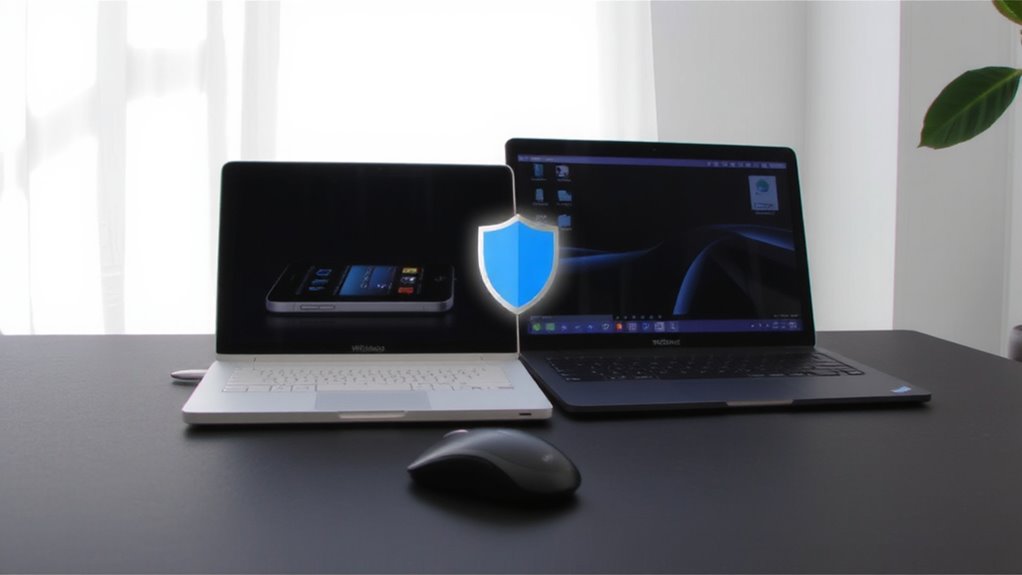
Not all antivirus programs protect every device the same way, so you’ll want to pick one that fully supports the operating systems and hardware you actually use. Device compatibility matters-if you’re running Windows, macOS, Android, or iOS, confirm your antivirus works natively on each. You’re better off choosing a suite with strong cross platform support, so one subscription secures your laptop, desktop, tablet, and phone without hiccups. Some tools only offer limited features on mobile, so check what’s included. Free versions often lack multi-device coverage, and even some paid ones cap the number of installations. If your home office includes mixed devices, avoid solutions that favor a single ecosystem without solid support elsewhere. Ultimately, broad compatibility saves setup time and reduces risk. But remember: broader coverage doesn’t mean better protection-always verify performance results from independent labs before deciding.
Essential Antivirus Features for Home Office Security
You’ll want strong malware protection that does more than just scan files-it should include real-time defense, automatic updates, and behavior-based detection to catch threats like ransomware and spyware before they cause harm. Real time scanning monitors system activity continuously, while advanced malware detection isolates suspicious behavior even from unknown files. These features are non-negotiable for protecting sensitive work data.
| Feature | Why It Matters |
|---|---|
| Real time scanning | Stops threats during file access or download |
| Behavior-based detection | Flags zero-day attacks traditional scans miss |
| Automatic updates | Guarantees defenses match latest virus definitions |
| Low system impact | Keeps your work running smoothly without slowdowns |
Don’t assume all antivirus tools deliver equal protection-some slow performance or miss nuanced threats. Test independent lab results, like AV-Test scores, for real-world malware detection rates before deciding.
Compare the Best Antivirus Plans for Home-Based Workers
So, which antivirus plans actually deliver for home-based workers without overcomplicating things or bogging down your system? Norton 360 Deluxe stands out with strong malware protection, 100GB of cloud storage, and built-in email encryption-ideal for securing client data. Bitdefender Total Security also earns top marks, offering solid real-time defense, 200MB/day of encrypted email traffic, and 2GB of secure cloud storage. While both support multiple devices, Norton’s higher cloud capacity suits those backing up work files, whereas Bitdefender’s lighter system impact helps older machines. Just note: email encryption in these plans covers content in transit but won’t protect against phishing if you click bad links. Also, cloud storage is handy but may require upgrades if you handle large media files. Always verify cross-platform compatibility with your OS and hardware.
Install Antivirus Without Slowing Your Computer
Even with powerful hardware, a poorly optimized antivirus can drag down your home office computer’s performance, but selecting a lightweight option with smart scanning avoids system lag. You want real time scanning that’s efficient, not aggressive-top performers like Bitdefender and Kaspersky use minimal CPU by adjusting scan intensity during active work hours. Background performance matters just as much; the best suites run quiet, using cloud-based detection to reduce local resource load. Tests show these add under 5% system slowdown on average, even during full scans. But don’t assume “lightweight” means weaker protection-many have scored 100% in malware detection trials. Still, some free versions limit real time scanning or drain battery faster. Enable performance modes that pause non-critical tasks during video calls or large file transfers. Always check independent lab results from AV-Test or AV-Comparatives to confirm claims. A good balance exists-you just need to verify it.
Automate Security for Hands-Off Protection
A well-tuned antivirus shouldn’t demand constant attention-once you’ve picked a lightweight option that won’t bog down your system, the next step is setting up automation so protection runs reliably in the background. Enable real time monitoring to instantly flag threats as they appear, which is essential for catching malware before it spreads. Set up scheduled scans weekly, preferably during off-hours, so they don’t interfere with your workflow. Most reliable antivirus tools let you customize scan types-choose full system scans to guarantee thorough checks. Automation lets you stay protected without constant oversight, but it’s not foolproof. Over-reliance on background tools can create complacency. Make sure notifications are on so you’re alerted to issues, but don’t ignore them. Properly configured, these features deliver consistent protection with minimal effort-just remember, even the best automation needs occasional review to stay effective.
Test Your Antivirus to Confirm It Works
How can you be sure your antivirus is actually protecting your home office? Test it. Run a free evaluation tool like the EICAR file-it’s a safe, standard test file recognized by all antivirus programs. If your software detects it, your malware detection is working. Check that real time scanning responds immediately, not just during scheduled scans. This matters because threats strike when you’re actively using your computer. Keep in mind: passing one test doesn’t guarantee 100% protection. No antivirus catches every threat, and performance varies by system load and updates. Some programs slow down your machine when real time scanning is active. Test under normal work conditions-open documents, browse, download files. See how it handles background protection without disrupting your workflow. Results give you confidence, but stay cautious. Security is ongoing, not one-and-done.
On a final note
You should install antivirus software on your home office computer-it’s essential for blocking malware and protecting client data. Look for real-time scanning, ransomware protection, and low system impact. Top programs like Bitdefender and Kaspersky score over 99% in independent detection tests. Just remember, no antivirus catches everything, and premium features often require yearly subscriptions starting around $40. Always test the software and enable automatic updates.