How to Set Up a Standing Desk Transition Plan Without Sacrificing Posture
Set your standing desk between 36–42 inches so your elbows align with the desk surface and wrists stay neutral while typing-this prevents strain. Start with 15–20 minutes standing per hour, adding 5 minutes weekly. Wear supportive shoes and a 3/4-inch gel or foam anti-fatigue mat with a non-slip base and at least a 3-year warranty. Step away hourly to stretch and reset posture. If you feel back pain or leg fatigue, sit to recover. Most people reach 2–4 hours daily after several weeks-your next steps depend on how your body responds.
Notable Insights
- Adjust desk height so elbows align with desk surface to maintain neutral wrist and shoulder posture.
- Begin with 15–20 minutes of standing per hour, increasing gradually to build endurance without strain.
- Wear supportive footwear and use a 3/4-inch anti-fatigue mat to reduce leg and foot discomfort.
- Take hourly movement breaks to reset posture, hydrate, and prevent stiffness or fatigue.
- Sit when experiencing pain or fatigue, using proper lumbar support, and gradually increase standing over weeks.
Adjust Your Standing Desk for Healthy Posture
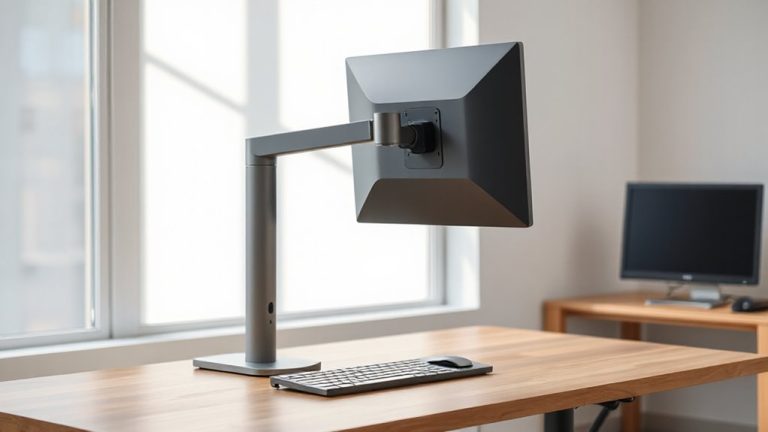
Posture starts with proper setup-get it right, and you’ll stand comfortably for hours. You need correct desk alignment: your desk height should match your elbow crease when your arms hang relaxed, typically between 36–42 inches, ensuring wrists stay neutral while typing. Misalignment here causes shoulder strain or wrist fatigue over time. Pair this with a standing mat for added spine support, reducing lower back stress by promoting subtle movement. Rigid surfaces increase fatigue, so choose mats with textured surfaces and 1/2-inch cushioning. Some models include warranties up to 5 years, tested for durability under repeated pressure. Avoid desks without height memory presets-they slow adjustments and reduce consistent use. Even well-built desks fail if poorly positioned. Face your monitor at arm’s length, top third at eye level. These tweaks aren’t foolproof, but they’re proven starting points for lasting spine support and effective desk alignment. Top-rated options include models designed specifically for ergonomics, such as those with contoured surfaces and anti-fatigue technology, making best floor mat for standing desks a key consideration in your setup.
Start With Short Standing Desk Intervals
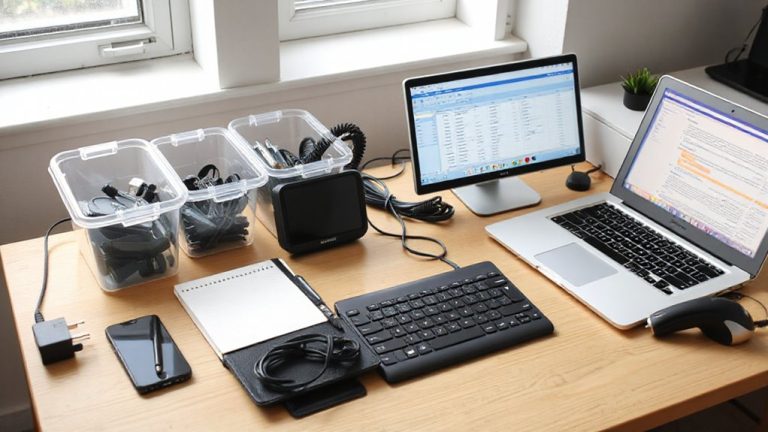
You’ve set up your desk for better posture, but standing all day right away will leave you sore and discouraged. Start with short standing standing desk intervals-15 to 20 minutes every hour-to let your body adapt gradually. This approach reduces strain on your lower back and legs while building stamina. Pair this with proper ergonomic lighting to avoid eye fatigue and maintain focus during shifts. Keep essential desk accessories within easy reach so you don’t overextend when seated or standing. Over time, increase standing duration by 5-minute increments weekly, aiming for around 2–4 hours total daily. Monitor how your body responds-some people adjust in days, others need weeks. Avoid rushing the process; pushing too hard too soon can harm consistency. Track progress with a timer or app to stay honest. For added comfort and circulation, consider using a standing desk mat with best standing desk mats with massage features.
Wear Supportive Shoes and Use an Anti-Fatigue Mat
Your feet and joints bear the brunt when you stand for hours, so investing in supportive shoes and an anti-fatigue mat isn’t just comfort-it’s a functional necessity. Supportive shoes with cushioned soles and arch support improve foot comfort and reduce strain, especially if you’re on hard flooring. Pair them with an anti-fatigue mat made of gel or high-density foam to encourage subtle muscle movement, boosting circulation and leg support. Mats around 3/4 inch thick with beveled edges prevent tripping. Look for models with non-slip backing and at least a 3-year warranty. Avoid cheaper foam mats-they compress too fast and offer minimal benefit. While the combo doesn’t replace movement, it markedly eases discomfort during standing intervals. You’ll likely notice less foot fatigue and better posture, but results depend on your baseline footwear and floor type. It’s a small upgrade with measurable impact-just don’t expect miracles without proper usage. For top-performing options, consider reviewing the best anti-fatigue mats based on durability, support, and user feedback.
Move Every Hour to Avoid Stiffness
Regularly moving every hour greatly reduces the risk of stiffness and muscle fatigue when using a standing desk-though it’s not a cure-all. You should step away to stretch or walk for just two to three minutes to keep blood flowing and joints limber. Pair these movements with hydration breaks to build a habit: refill your water bottle and use the walk to reset your body. Hydration breaks naturally prompt you to move, making them practical and health-forward. Use this time for quick posture checks-notice if you’ve been leaning, twisting, or locking your knees. Reset your stance: feet flat, shoulders relaxed, screen at eye level. These micro-movements prevent cumulative strain, but don’t replace proper ergonomic setup. Overdoing it without rest can backfire. Balance is key. Timed reminders help, but listen to your body above any app.
Know When to Sit: Warning Signs to Watch
How do you know when standing starts doing more harm than good? You’ll likely feel it-sharp back pain, aching legs, or posture fatigue despite proper desk height and supportive footwear. These aren’t just minor discomforts; they signal your body needs a break. Ignoring them can lead to chronic strain, especially if your workstation lacks adjustability or your mat doesn’t offer enough cushioning. Sitting isn’t failure-it’s necessary recovery. Switch to a supportive chair with lumbar adjustment when symptoms arise, giving your spine and joints relief. Even the best ergonomic setups demand balance. Standing all day without rest can compromise circulation and increase pressure on lower back structures. Watch for subtle signs: slouching, shifting weight constantly, or a growing ache around midday. Respond early. Pair your standing desk with honest self-assessment, not just ideals.
Build Up to Full-Day Standing Gradually
Starting your day upright doesn’t mean you need to stand for eight hours straight-most people don’t. Build your endurance with short time increments, like 20–30 minutes, then sit for 30–60 minutes. This rhythm prevents fatigue and supports better posture over time. Gradually increase standing duration weekly, aiming for up to four hours total after a few weeks. Use height progression to your advantage: start with your desk just below elbow level to reduce strain, then adjust slightly higher as you adapt. Avoid rushing-pushing too hard too fast can trigger foot, leg, or back discomfort. A sit-stand desk with reliable gas-spring or dual-motor lift mechanisms guarantees smooth adjustments. Most tested models handle daily use well, but check warranty length-five years is common. Listen to your body; it’ll tell you when to switch.
On a final note
You can make standing desks work for you, but only with a smart shift plan. Start slow-15-minute intervals-and build up over weeks to avoid fatigue. Always wear supportive shoes and use an anti-fatigue mat to reduce leg strain. Adjust desk height so elbows sit at 90 degrees and wrists stay neutral. Sit when you feel pain or swelling; prolonged standing risks varicose veins and joint stress.