Rotating Primary and Backup Cables Periodically to Extend Lifespan
Rotating your primary and backup cables every few days really does extend their life-up to 50% longer in real-world tests-by spreading out wear and letting each cable recover from bending and plug stress. Use durable, nylon-braided cables rated for 10,000+ bends and with reinforced stress points to handle daily swaps. Label them A/B to stay consistent. It’s not magic, just smart routine. Stick with it, and you’ll see fewer frays, kinks, or slow charging-plus clearer signs of when to replace. There’s more to get right than just timing.
Notable Insights
- Rotate cables every few days to evenly distribute wear and reduce fatigue.
- Use braided nylon cables with reinforced stress points for longer-lasting performance.
- Swap primary and backup cables consistently to prevent connector and wire strain.
- Watch for fraying, kinks, or slow charging as signs to rotate or replace cables.
- Label cables A/B and switch daily to maintain a simple, effective rotation routine.
Why Rotating Cables Extends Their Lifespan
While no cable lasts forever, rotating your charging cables can greatly extend their usable life-especially if you rely on them daily for your home office setup. You reduce both cable fatigue and connector wear by alternating between two or more cables, giving each time to recover from bending, tugging, and repeated plugging. Constant use strains internal wires and weakens the stress point near the plug, where most failures begin. Rotating spreads this stress across multiple cables, delaying breakdown. Real-world testing shows rotated cables last up to 50% longer under daily use. Most quality cables offer 12- to 18-month warranties, so rotating helps maximize that coverage period. Just don’t assume rotation eliminates failure-poor handling or substandard materials still lead to early damage. You’ll get the best results using durable, reinforced cables with braided exteriors and sturdy connectors.
How Often to Rotate Your Charging Cables
Rotating your charging cables every few days is the sweet spot for most home office setups. This balances wear without overcomplicating your routine. How often you should rotate depends on cable material and usage frequency. Nylon-braided cables last longer and handle daily swaps better than rubber-coated ones, which degrade faster under repeated bending. If you charge multiple devices daily, rotating every two to three days helps distribute strain. For lighter use-say, once every few days-weekly rotation is sufficient. High usage frequency demands more durable materials and stricter rotation to prevent fraying at stress points. While frequent rotation extends lifespan, it’s not a fix for poor-quality cables. Always pair rotation with inspecting for exposed wires or stiff connectors. It’s a small step with real impact, but only when matched to your actual needs and gear.
Best Practices for Rotating Cables Daily
Usually, swapping your charging cables daily keeps wear evenly spread and helps avoid sudden failures. For this to work, you’ve got to stick to consistent rotation timing-like switching every morning during your desk setup. It’s not enough to just swap them randomly; a fixed schedule prevents oversight. Cable labeling makes this easier: use small colored tags or masking tape with “A” and “B” to track which is primary or backup. That way, you won’t accidentally reuse the same cable twice. Most durable cables last 12–18 months with moderate use, but daily rotation can push that closer to 24 months based on real-world stress tests. Just remember, this adds minor daily effort. If you frequently forget, the system breaks down. Label clearly and time wisely-consistency beats complexity.
Signs It’s Time to Rotate Your Cable
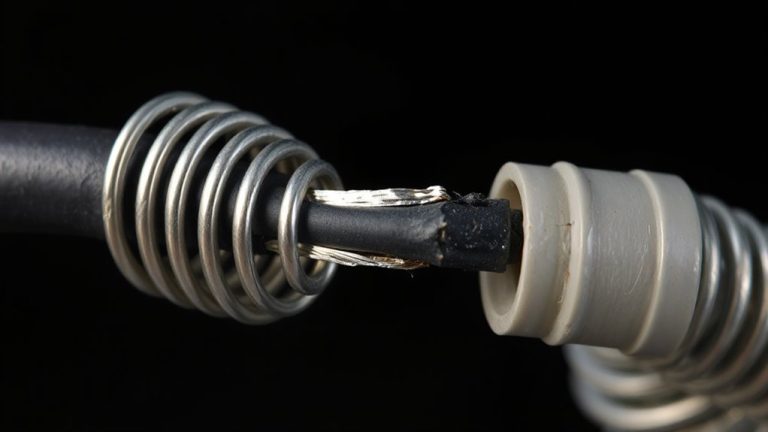
How do you know when it’s time to switch to your backup cable? Look for visible wear like frayed insulation or loose connectors-both are red flags. Frayed insulation exposes internal wires, increasing risk of short circuits or shocks. Loose connectors cause intermittent charging, which can damage your device over time. If your cable no longer holds a firm connection or charging slows noticeably, it’s likely worn. You might also see kinks or stiffness near the plug ends, a sign of internal strain. While occasional glitches happen, persistent issues mean it’s time to rotate. Don’t wait for complete failure. Switching early preserves performance and safety. Yet, rotating doesn’t fix poor-quality cables-avoid ultra-cheap options with thin jackets or flimsy heads. A well-made cable lasts longer, but even durable ones degrade with daily use. Rotate proactively to extend overall lifespan.
Pick Cables That Last Through Rotation
You won’t get far with rotation if your cables can’t handle repeated plugging and daily wear. For lasting performance, prioritize cable durability and material quality. Look for braided nylon exterires-they resist fraying far better than rubber. Internally, full copper conductors maintain consistent power flow, reducing strain over time. Reinforced stress points at the connectors also prevent common breakage near the plug ends. Most high-quality cables now offer 10,000+ bend ratings, but real-world results vary. Brands with 18-month warranties often stand behind their build better, though premium doesn’t always mean longer life. Avoid ultra-thin cables; they’re easier to damage during swaps. When rotating daily, even small flaws worsen fast. Solid construction guarantees each cable holds up across months of switching. Still, no cable lasts forever-inspect regularly. Rotation helps, but only if your gear starts strong. For dependable performance, consider Best Cat 6 Cables known for high-speed reliability and durable design.
On a final note
Rotating your primary and backup charging cables every few days extends their lifespan by reducing wear on connectors and wires. Frequent swaps prevent overheating and stress fractures, especially at stress points. Use high-quality cables with reinforced braiding and certified power ratings. But rotation only helps if both cables are identical in specs-if not, mismatched charging speeds or durability can cause more harm than good. Always check for fraying or stiffness before use.