Routing HDMI and Power Cords Through a Hollow Desk Leg
You can run HDMI and power cords through a hollow desk leg if the inner diameter is at least 1 inch-common in metal or aluminum legs. Use slim, flexible cables to avoid kinks, and guide them with a fish tape for smooth threading. Keep power and HDMI separated by 2+ inches outside the leg to reduce interference, and leave 12–18 inches of slack at the base. Overloading or tight bends can damage wires, so limit runs to 3–4 cords and use rubber-lined clips for support-there’s more to getting a clean setup than just what fits inside.
Notable Insights
- Check the inner diameter of hollow desk legs to ensure enough space for HDMI and power cables.
- Use a flexible fish tape and cable lubricant to guide cords smoothly through tight leg bends.
- Limit cable runs to 3–4 cords to avoid overloading the desk leg and damaging insulation.
- Separate power and HDMI cables by at least 2 inches to minimize electromagnetic interference.
- Leave 12–18 inches of slack at the base to allow for future adjustments or device swaps.
Can You Route Cables Through a Desk Leg?
So, can you actually run HDMI and power cords through a hollow desk leg? Yes, but only if the leg’s interior diameter is wide enough for both cable thickness and safe bending. Most standard hollow metal or aluminum legs range from 0.75 to 1.25 inches inner width-tight, but workable for slim HDMI cables and low-gauge power cords. Leg material matters: metal legs hold shape better and resist crushing, while some plastic or composite legs may deform under pressure, risking cable damage. You’ll need to measure your cables first; thicker, braided cables often won’t fit. Even if they do, tight bends near the base can strain connections over time. This method keeps clutter down, but don’t force it-compromised cable thickness or flimsy leg material could mean poor durability. Test-fit everything before final assembly.
What Tools You Need for Cable Routing
You can route HDMI and power cables through a hollow desk leg if the fit is right, but doing it cleanly and safely means having the right tools on hand. Start with a flexible fish tape to guide cables through tight bends, especially if the leg has limited access. Needle-nose pliers help grab and pull wires without damaging insulation. Use cable lubrication sparingly to reduce friction-just enough to ease HDMI and thick power cords through without binding. Be cautious, since too much lubrication can attract dust. Pipe flexibility matters: if the leg bends or compresses easily, it may pinch cables over time. A flashlight helps inspect interior pathways before and after routing. While most hollow metal legs offer decent durability, test structural stability first. Not all desks support internal wiring long-term, so verify load ratings and leg thickness. These steps won’t guarantee success, but they improve the odds.
Run Cables Through the Desk Leg: Step by Step
Routing cables through a hollow desk leg can deliver a clean, professional look-especially when done with care and the right approach. Start at the top hole, feeding cables straight down to preserve routing symmetry and reduce cable tension. Use a fish tape to guide cords smoothly, avoiding sharp bends that could damage insulation or disrupt performance. Keep power and HDMI lines parallel to minimize interference. A well-organized setup enhances both aesthetics and functionality, making cable hiding options essential for maintaining a clutter-free workspace.
| Step | Action |
|---|---|
| 1 | Align cables at leg’s top opening |
| 2 | Apply gentle tension while feeding |
| 3 | Maintain consistent routing symmetry |
| 4 | Verify slack at base for easy access |
Work slowly-forcing wires risks kinks or trapped sections. Most hollow legs have internal diameters of 1.5–2 inches, so thick bundles may require adjustments. While concealed routing looks sharp, it can complicate future swaps or repairs.
Organize Cables Outside the Desk Leg
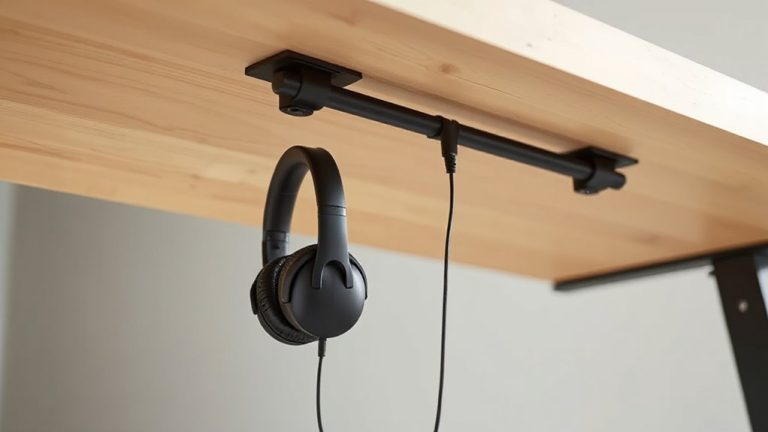
A clean setup doesn’t end once cables disappear into the leg-what happens outside matters just as much. Proper cord management keeps connections tidy and accessible. Use adhesive cable clips to secure cords along the desk frame, preventing sagging or tangling. Space clips every 6–8 inches for support without over-clustering. Rubber-lined clips protect jacketed HDMI and power cables from abrasion. While most clips hold up well under tension, cheap ones may lose adhesion over time-check warranty length before buying. For heavier cable bundles, consider mounting a metal raceway under the desk for added support. Avoid overloading one clip, as this can damage both cable insulation and desk finish. You’ll trade a bit of installation time for long-term neatness and easier troubleshooting. Test stability by gently tugging lines after securing. Done right, external cord management complements internal routing seamlessly. A best cable management solution enhances both functionality and visual appeal.
Avoid These Desk Cable Routing Mistakes
Skipping proper planning before threading cables through a hollow desk leg can turn a clean setup into a frustrating mess. Avoid cable clutter and poor insulation by thinking through device placement and cable lengths first. A well-organized workspace starts with selecting the right Top Cable Management Solutions to suit your desk’s design and usage needs. Below are common mistakes and how to dodge them:
| Mistake | Why It Happens | How to Fix It |
|---|---|---|
| Forcing too many cables | Overloading the leg’s capacity | Limit to 3–4 insulated cords |
| Ignoring heat buildup | Poor insulation traps warmth | Use heat-resistant PVC or braided sleeves |
| Tangled exits | No strain relief at entry points | Add clips or grommets |
| Voltage interference | Power and HDMI bundled tightly | Separate conductors by 2+ inches |
| Hard pulls during swaps | No service loops left | Leave 12–18 inches of slack |
Rerouting mid-use is tedious, so plan exits and cord types early. Not all desks support clean internal routing-measure internal diameter before starting.
On a final note
You can route HDMI and power cords through a hollow desk leg, but only if the internal diameter exceeds 1.5 inches and cables are flexible. Use a fish tape and silicone lubricant for smooth feeding. Secure with in-line cable clips outside to prevent strain. Avoid sharp bends-especially with HDMI-to maintain signal integrity. This setup looks clean but limits future access; test connections fully before finalizing. Not all desks support this-check warranty terms to avoid voiding structural guarantees.