Storing Backup Drives in a Locked Drawer With Anti-Theft Bolts Inside Your Desk
You should store backup drives in a locked drawer with anti-theft bolts for real security. Hardened steel M6 or M8 bolts anchor drives firmly, resisting over 60 pounds of pull force and working with desks up to 35mm thick. Pair with a cam lock for quick, reliable drawer access. Just verify your desk’s material and thickness-laminated or particleboard needs fine threads. While biometric locks seem slick, they can fail; stick with proven mechanical or keypad systems. You’ll get even better results by combining physical locks with encryption and access controls.
Notable Insights
- Secure backup drives in a locked drawer to deter unauthorized access and physical tampering.
- Anchor drives inside the desk using anti-theft bolts rated for over 60 pounds of pull force.
- Ensure desk thickness (up to 35mm) and material compatibility before installing anti-theft bolts.
- Use tamper-proof, hardened steel bolts with fine threads for better grip and cut resistance.
- Combine physical security with encryption and monthly recovery tests for layered data protection.
Secure Your Backup Drives With Anti-Theft Bolts
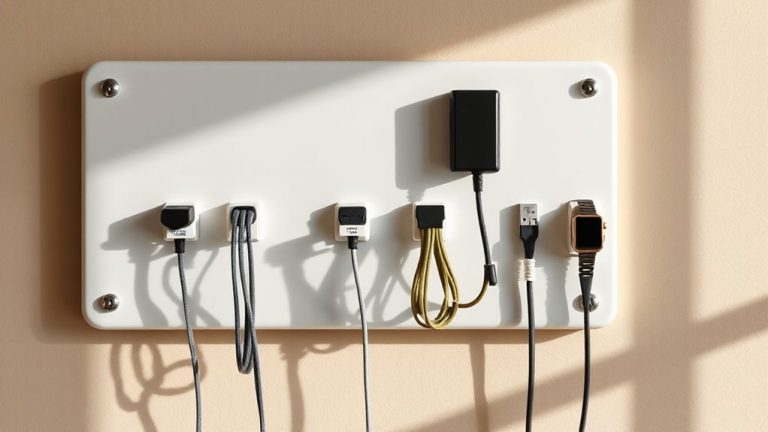
While you might think your backup drive is safe hidden in a drawer, a more reliable way to keep it secure is using anti-theft bolts designed for mounting hardware. These bolts physically anchor your drive to the desk frame, making quick theft nearly impossible. Proper cable management becomes easier too-secure routing prevents tugs that could disconnect or damage the drive. Since the drive stays fixed, you maintain consistent drawer organization without worrying about items shifting during daily use. Most kits include stainless steel fasteners and require only a hex key, fitting desks up to 35mm thick. Units tested withstand over 60 pounds of pull force. Still, installation is permanent for the mounting points, and not all drives have mounting holes. Check your device specs before buying. Warranties usually cover hardware defects up to five years, but not misuse. It’s a smart upgrade-if your data matters, the trade-off is worth it.
Pick the Right Anti-Theft Bolts for Your Desk
Since not all anti-theft bolts work with every desk, you’ll want to confirm your desktop thickness and material before buying-most kits support desks up to 35mm thick, but anything beyond that may need longer threaded bolts or custom brackets. Choose hardened steel for bolt material; it resists cutting better than aluminum or plastic. Match the thread type to your desk’s underside-metric (M6/M8) is common in modern furniture, while imperial threads fit some older models. Bolts with coarse threads install faster, but fine threads offer tighter grip in laminated or particleboard surfaces. Always check bolt length to avoid punching through the desktop. Kits with tamper-proof heads add security but require special tools. While steel bolts with fine metric threading suit most setups, verify compatibility-forcing mismatched hardware can strip anchors or warp materials. Read warranty terms; better kits offer 5-year coverage.
Install Drawer Locks in Minutes
If you’re serious about securing sensitive documents or expensive gear, installing drawer locks is a fast and effective upgrade-many models take under five minutes per drawer with just a screwdriver. Tool selection matters: a magnetic tip screwdriver prevents dropped fasteners, while a power driver risks stripping screws. Choose cam locks or slide bolts rated for metal or hardwood frames to guarantee resistance. The installation technique is straightforward-align the lock with the drawer’s front edge, mark pilot holes, then drill just deep enough to avoid穿透 the back panel. Most kits include templates for consistent placement. These locks won’t stop a determined intruder with tools, but they delay opportunistic theft. Confirm fit with your drawer depth-some models add 0.5” extension, affecting closure. Pair with anti-theft bolts in desk legs for layered security. Warranties typically cover defects, not misuse.
Stay Secure Without Slowing Down Work
You can keep your backup drives secure without bogging down your daily workflow, as long as you choose locking solutions that balance speed and protection. Look for desk drawers with quick access features like push-to-open locks or slim keypads-these let you retrieve drives in seconds without sacrificing security. Some models even integrate fire-resistant materials, offering up to 30 minutes of protection at 1,700°F, which is critical if your office lacks a dedicated safe. However, don’t assume all fire-resistant drawers meet the same standards-check for UL or ETL certification to verify claims. While quick access improves efficiency, avoid overly complex biometric systems that may slow you down during power glitches or fail with dirty fingers. Solid steel construction with anti-theft bolts adds theft resistance, but guarantee the mechanism still allows smooth operation. Balance is key-prioritize tested durability and proven fire resistance without overcomplicating everyday use.
Go Beyond Locks: Layer Your Data Protection
While physical locks help keep your backup drives safe, true security means layering multiple safeguards so a single failure doesn’t expose your data. You need both data encryption and access control to protect against theft or misuse. Encryption guarantees files stay unreadable if drives are lost. Access control limits who can interact with backups, even physically. Combine these with your locked drawer for strong, practical defense.
| Layer | Purpose |
|---|---|
| Data encryption | Scrambles data so only authorized users can read it |
| Access control | Restricts drive usage to approved personnel |
| Locked drawer | Deters casual theft and tampering |
| Anti-theft bolts | Prevents removal of the storage unit |
Keep in mind: over-securing can slow access. Balance protection with usability. Test recovery steps monthly.
On a final note
You should lock backup drives in a secured drawer using anti-theft bolts like Torx or pin-head screws-they deter casual tampering. Most kits install in under 10 minutes with a screwdriver and fit standard desks. A good lock adds physical security, but it won’t protect against fire or online threats. Pair it with encryption and offsite backups. Warranties typically cover only manufacturing flaws, not theft. Test fit before full installation.