Wired Ethernet Advantages for High-Bandwidth Tasks Like Live Streaming
You’re better off using wired Ethernet for live streaming-it’s way more reliable than Wi-Fi. With latency as low as 5–10 ms and support for up to 10 Gbps on Cat 6 cables, it minimizes dropped frames and buffering. Unlike wireless, it won’t suffer from interference or congestion, ensuring stable uploads even during 4K streams. Just make sure to connect directly to your router and use quality cables. There’s more to get right for flawless performance.
Notable Insights
- Wired Ethernet provides stable, consistent upload speeds essential for high-bitrate live streaming.
- Lower latency (5–10 ms) ensures smoother real-time interaction compared to Wi-Fi’s higher delays.
- Eliminates interference and signal drops, reducing buffering and dropped frames during streams.
- Supports symmetrical gigabit speeds, maximizing throughput for 1080p and 4K content delivery.
- Direct connection with quality cabling (Cat 6+) minimizes disruptions and maintains stream integrity.
Why Ethernet Is Best for Live Streaming
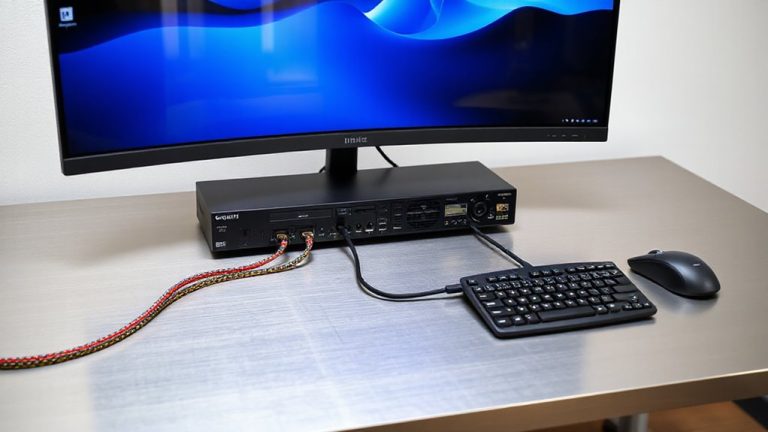
While Wi-Fi has improved over the years, you’ll still get the most reliable connection for live streaming with a wired Ethernet setup. Ethernet gives you consistent signal strength, eliminating the fluctuations common in wireless networks. Unlike Wi-Fi, it isn’t affected by network congestion, so your upload speeds stay stable-even when others are using the network. You’ll see fewer dropped frames and reduced buffering during high-bitrate streams. Cat 6 cables support up to 10 Gbps over short distances, far exceeding typical broadband plans. Setup requires running a cable from your router to your streaming PC, which limits mobility but boosts performance. Powerline adapters or Wi-Fi extenders don’t match Ethernet’s reliability. Though less convenient, especially in multi-room spaces, the trade-off is measurable: lower latency, near-zero packet loss, and smoother encoder performance. For critical, long-duration streams, that stability is worth the physical tether. Upgrading to a high-quality Ethernet cable can further enhance performance by minimizing interference and ensuring maximum throughput.
Stop Wi-Fi Interference From Ruining Your Stream
You get a rock-solid connection with Ethernet, but if you’re stuck using Wi-Fi for your stream, smart setup choices can keep interference from degrading your video quality. Signal congestion from nearby networks and devices can trigger lag, especially in dense apartments or offices. Dual-band routers help-use the less crowded 5 GHz band to reduce network overcrowding. Place your router within line of sight, minimizing walls and electronics like microwaves that disrupt signals. Upgrading to Wi-Fi 6 improves handling of multiple devices, but real-world performance still lags behind gigabit Ethernet. Powerline adapters and mesh systems offer workarounds, yet latency spikes remain likely during peak use. You’ll see better consistency with wired gear, but if Wi-Fi is your only option, optimize channel selection and distance. Just remember: no wireless fix matches the stability of a direct cable connection for high-bandwidth streaming.
Eliminate Buffering and Dropped Frames With Ethernet
When you need a stream that holds up under pressure, a wired Ethernet connection is your best bet for cutting out buffering and dropped frames. Ethernet delivers consistent data integrity by reducing packet loss compared to wireless, which matters when your upload can’t afford hiccups. Unlike Wi-Fi, it isn’t subject to signal interference or sudden drops in bandwidth, guaranteeing your bitrate stays stable even during long sessions. While Ethernet doesn’t automatically provide network redundancy, pairing it with a secondary Wi-Fi or cellular link creates a fail-safe setup common in professional environments. You’ll still need to manage cable routing-especially in shared spaces-and guarantee your router can handle sustained throughput. But if reliability is key, the physical connection minimizes variables that cause disruptions. Just remember: quality cables (Cat 6 or higher) and a solid NIC make a measurable difference. Test your end-to-end setup under load to confirm performance before going live.
Reduce Lag for Smoother, Real-Time Streaming
How do you keep your live stream feeling instant, even when there’s no studio audience? Use wired Ethernet to cut lag and boost responsiveness. Wireless signals suffer from network congestion, especially during peak hours, causing delays that disrupt real-time interaction. A solid Ethernet connection-paired with good cable quality-delivers consistent latency under 10 ms, far better than typical Wi-Fi.
| Connection Type | Avg. Latency (ms) |
|---|---|
| Wi-Fi (2.4 GHz) | 45–100 |
| Wi-Fi (5 GHz) | 25–60 |
| Ethernet | 5–10 |
You’ll need Cat 6 or better for reliable performance, and while setup is less flexible than wireless, the drop in lag makes it worth it. Just remember: cable quality matters, and poor wiring can still introduce hiccups, even on Ethernet. Consider using top-rated bookends to neatly organize and protect your Ethernet cables and related equipment on your desk.
Keep Uploads Stable During High-Bandwidth Streams
A stable upload connection isn’t just helpful-it’s non-negotiable when you’re pushing high-bitrate streams in 1080p or 4K. Wired Ethernet gives you consistent throughput, minimizing the risk of sudden drops that can ruin quality assurance during critical moments. Unlike Wi-Fi, it supports network redundancy setups-like dual WAN routers-so if one connection fails, another kicks in seamlessly. That’s essential when uptime directly affects viewer trust and platform algorithms. You’ll get symmetrical speeds when your ISP delivers on promised upload rates, but don’t assume all plans are equal-check SLAs and test regularly. While Ethernet reduces jitter and packet loss, it’s only as reliable as your internet plan and router hardware. Don’t skip stress tests before going live. Wired isn’t flawless, but for stability, especially with 4K or multi-platform streaming, it’s the smarter baseline most pros rely on.
Optimize Your Wired Setup for Reliable Streaming
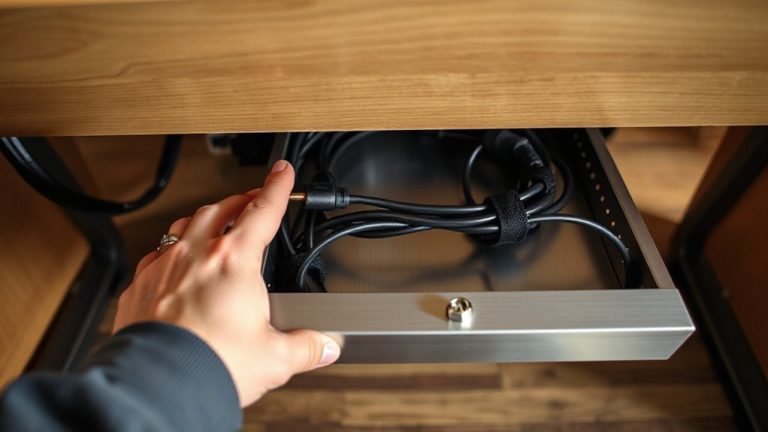
Though Ethernet already gives you a solid foundation, getting the most out of your wired connection means paying attention to the details that actually impact stream stability. Proper cable management reduces clutter and prevents accidental disconnections-use clips or sleeves to route cables neatly and avoid strain on ports. More importantly, enable port prioritization on your router if available; this guarantees your streaming PC gets consistent bandwidth even when other devices are active. Cat 6 cables are ideal for handling 1 Gbps speeds without signal loss over short runs. For best performance, connect directly to a wired LAN port, not through daisy-chained hubs. While switches add ports, they can introduce latency if unmanaged. Firmware updates and quality power supplies also matter-network gear with solid warranties often performs more reliably under constant load, but real-world testing shows gains diminish without proper setup. Consider using best Ethernet cables for maximum reliability and minimal interference.
On a final note
You’re better off using wired Ethernet for live streaming-it’s more stable and consistent than Wi-Fi. You’ll get lower latency, fewer dropped frames, and reliable upload speeds, especially during long sessions. Just make sure your router and device support Gigabit Ethernet, and use a Cat 6 cable for best results. It’s not always as convenient as Wi-Fi, but if performance matters, the trade-off is worth it.