Strategic Light Placement: Eliminating Shadows and Enhancing Ergonomic Design in Your Home Office
Position your task light at a 45-degree angle to your face using an adjustable arm, like the BenQ e-Reading Clamp, to cut shadows and glare. Angle left-handed lighting for right-handed work to avoid hand shadows. Use matte shades for even diffusion and pair 4000K–5000K LEDs with dimmers for flexible brightness. Avoid multiple sources that create conflicting shadows. Test bulbs for flicker when dimmed, and check for Energy Star ratings and 3-year warranties-performance can vary. You’ll soon see how small tweaks compound into better focus and comfort.
Notable Insights
- Position light sources at a 45-degree angle to your face to minimize shadows and reduce glare.
- Angle task lighting from the left if right-handed to prevent hand shadows on your workspace.
- Use adjustable arms on fixtures for precise control of light direction and height.
- Place your desk perpendicular to windows to balance natural light and reduce screen glare.
- Choose matte lamp shades and indirect lighting to diffuse light evenly and avoid hotspots.
Fix These 5 Home Office Lighting Mistakes Now
Why is your home office still dim or glaring after all these Zoom calls? Poor lighting placement sabotages focus and video quality, no matter how expensive your gear. You need balanced light diffusion and precise shadow control-overhead bulbs alone won’t cut it. Most people position lights directly above or behind their desks, creating harsh contrasts that strain eyes and flatten facial features on camera. Instead, place a diffuse panel light at a 45-degree angle to your face to soften shadows and reduce glare. Use adjustable arms to fine-tune height and tilt. Look for fixtures with matte shades or fabric covers; they scatter light evenly without hotspots. But don’t overdo it-too many sources create conflicting shadows. Test setups during morning and afternoon to assess real-world performance. Warranties of three years or more signal durability, but even premium models fail if poorly positioned. Lighting isn’t one-size-fits-all-tweak until visibility and comfort align. For optimal results, consider incorporating best office lighting picks that combine functionality with ergonomic design.
Maximize Natural Light Without Window Glare
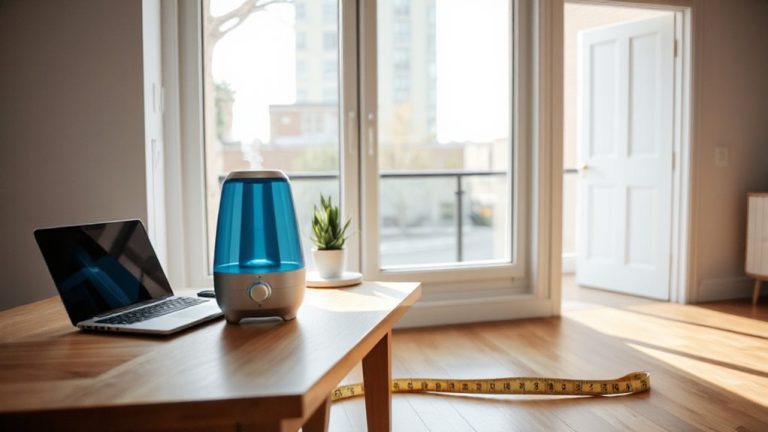
How much natural light are you really getting-at the cost of screen glare or fading furniture? You can maximize daylight without sacrificing comfort. Position your desk perpendicular to windows to balance light diffusion and reduce direct sun on your screen. Sheer curtains or adjustable blinds offer control: they soften harsh rays while maintaining view preservation. Avoid dark shades that block light entirely-opt for light-filtering options that scatter sunlight evenly. If you’re near a south- or west-facing window, consider exterior awnings to cut midday glare. Reflective surfaces like light walls or a matte-white desk can boost indirect light. However, don’t compromise view preservation for dimming; losing outdoor visibility increases eye strain over time. Test solutions during peak daylight hours. Most quality window films include 5-year warranties and reduce UV exposure by up to 99%, but always check clarity ratings to avoid hazy visuals. For focused task lighting when natural light isn’t enough, consider a best desk lamp for lawyers with adjustable brightness and color temperature.
Add Task Lighting to Eliminate Desk Shadows
A well-placed desk lamp isn’t just an accessory-it’s essential for eliminating shadows and reducing eye strain during long work sessions. Desk lamps with adjustable arms and bright, focused beams give you control over lighting direction, preventing hand and monitor shadows. Underglow lighting adds subtle illumination beneath shelves or desks, reducing contrast without glare. But placement matters-angle light from the left if you’re right-handed to avoid casting shadows across your workspace. Based on expert testing, the best desk lamps for your workspace combine adjustability, optimal brightness, and ergonomic design to enhance productivity.
| Type | Best For | Caveat |
|---|---|---|
| Adjustable desk lamps | Precision tasks | Can take up surface space |
| Clamp-on lamps | Small desks | May wobble if over-tightened |
| LED underglow lighting | Ambient task boost | Not sufficient alone |
| Articulating lamps | Variable tasks | Higher initial cost |
Choose brightness between 400–800 lumens and aim for 3000–5000K color temperature.
Layer Ambient Light to Reduce Eye Strain
Even if you’ve nailed your task lighting, skipping ambient layering can still leave your eyes struggling with uneven brightness. You need balanced light layers to create consistent visual comfort across your workspace. Start by adding overhead or indirect lighting-like a ceiling-mounted fixture or wall sconces-to distribute soft, widespread illumination. This minimizes harsh contrasts between your screen and surroundings, cutting eye fatigue during long work sessions. Aim for 300–500 lux across the room, measured with an inexpensive light meter, to support focus without glare. While full-room solutions enhance ambiance, they can overheat if using older halogen or incandescent bulbs-LEDs run cooler and use less energy. Avoid relying solely on natural light, since sun shifts cause inconsistent output. Layering isn’t just about brightness; it’s about stability. Use dimmers or smart bulbs to adjust output as daylight changes, ensuring lasting comfort and sustained concentration without straining your eyes.
Stop Glare on Screens and Work Surfaces
Why does glare keep creeping into your screen or bouncing off your desk just when you need focus most? It’s likely because your lighting setup isn’t aligned with your screen position. Placing lights directly overhead or in front often causes harsh reflections. Instead, use indirect lighting from the side or behind to reduce bounce. Adjust your screen position slightly off-axis from windows and bright fixtures-ideally at 90 degrees-to minimize direct light interference. Consider monitors with anti glare coatings; they scatter reflected light, improving readability in varied lighting. But be aware: matte finishes can reduce color vibrancy slightly compared to glossy screens. While anti glare coatings help, they’re not a fix-all-proper placement is still key. Pair thoughtful screen position with shielded or diffused lighting for the best results. You’ll gain comfort, but trade a bit of convenience in setup time.
Choose Bulbs by Brightness and Color Temperature
You’ve minimized glare-now it’s time to get picky about the light itself. Choose bulbs based on brightness and color temperature to match your tasks, not just your decor. Use bulb wattage matching to guarantee sufficient output-typically 800 lumens for ambient light, 1,100 for focused work-without overloading circuits or creating harsh environments. Pair higher-output LEDs with dimmers for flexibility. Apply color temperature zoning: stick to 2700K–3000K in relaxation zones for warmth, and 4000K–5000K at your desk to support alertness and concentration. Don’t assume brighter is better-poor temperature choices can cause eye strain, even with perfect placement. Test options for at least 30 minutes during actual work; some bulbs flicker at certain dimmer levels. Look for Energy Star ratings and 3-year minimum warranties to avoid frequent replacements.
Optimize Lamp Placement for Productivity and Comfort
When positioning lamps in your workspace, aim for balanced layering rather than relying on a single overhead source-it’s the most effective way to reduce eye strain and maintain alertness during long work sessions. Position your desk lamp just beyond your monitor at an angle, with the lamp height set so the shade sits at or slightly below eye level when seated-this minimizes glare and reduces shadows on your work surface. Use an adjustable-arm lamp for precise control over light direction. Tidy cable management isn’t just about looks; loose cords can create distraction and tripping hazards. Route cables through sleeves or clips to keep them out of the way. While task lighting improves focus, too much brightness in a small space can cause fatigue-opt for dimmable options to adjust as needed. Test configurations during different times of day to confirm consistent performance.
On a final note
You’ll cut eye strain and boost focus by fixing lighting now. Use daylight-balanced LEDs (5000K) with diffused ambient fixtures and a shaded task lamp at 300–500 lux on your desk. Position lights to the side of your monitor to kill screen glare. Natural light helps, but blinds are key for glare control. No single fix works everywhere-test brightness and angles in your space. Most quality lamps offer 3-year warranties, but results depend on room layout and personal comfort.