Utilizing Spotlight Mode Alongside Active Screen Sharing in Multi-Presenter Meetings
You’ll get smoother, more focused meetings by using spotlight mode with active screen sharing-it highlights the current speaker automatically and cuts distractions. Just expect 1–2 second delays on older laptops. Use wired headsets and USB-C webcams to stay in sync, and always test audio and screen lag beforehand. Make sure all presenters use the same platform version and do a dry run to avoid frozen screens or echo. For best results, stick with Zoom or Teams-they handle shifts cleanly when bandwidth stays stable. You’re about to see exactly how each platform compares under pressure.
Notable Insights
- Spotlight Mode focuses attention by showing only the active presenter’s screen during multi-presenter meetings.
- Pre-assign presenters in platforms like Zoom to ensure smooth, lag-free transitions in spotlight view.
- Synchronize screen sharing handoffs to prevent overlap, avoiding frozen screens or display delays.
- Use wired headsets and USB-C webcams to minimize audio-video lag during real-time screen sharing.
- Conduct dry runs to test Spotlight Mode, screen sync, and audio levels across all presenters’ devices.
Why Spotlight Mode Beats Regular Screen Sharing
While regular screen sharing gets the job done, Spotlight Mode is the better choice if you want smoother, more focused collaboration during video calls. It boosts audience engagement by automatically highlighting the active speaker’s screen, reducing distractions. Unlike standard sharing, which can clutter the view, Spotlight Mode enforces a clear visual hierarchy-only one feed appears at a time, so your team stays aligned. You’ll notice fewer interruptions and quicker decision-making, especially in fast-paced discussions. However, it requires stable bandwidth; lag can delay screen updates and confuse timing. Most platforms implement it without extra hardware, so setup is simple across common conferencing tools. Still, test it beforehand-some older laptops show a 1–2 second delay, affecting real-time reactions. It doesn’t replace annotation tools or side-by-side views, so use it when focus matters more than multitasking.
Switch Presenters Smoothly Without Losing Focus
You keep the momentum going in high-stakes meetings by switching presenters seamlessly in Spotlight Mode-no awkward pauses or fumbling with controls. A smooth presenter handoff keeps your team aligned and your audience engaged. Use subtle audience cues, like a raised hand or a quick chat message, to signal when it’s time to shift. Most platforms allow you to assign the next speaker in advance, so the handoff feels natural, not rushed. Spotlight Mode guarantees the active presenter stays front and center, minimizing distractions. But don’t rely solely on automation-practice the switch during dry runs to catch hiccups. Poor internet or untested mics can disrupt even the cleanest handoff. Make certain all presenters use the same audio setup to avoid volume imbalances. While it boosts flow, Spotlight Mode won’t fix disorganization. Preparation, not tech, is what truly keeps focus locked.
Sync Your Screen and Speaker in Real Time
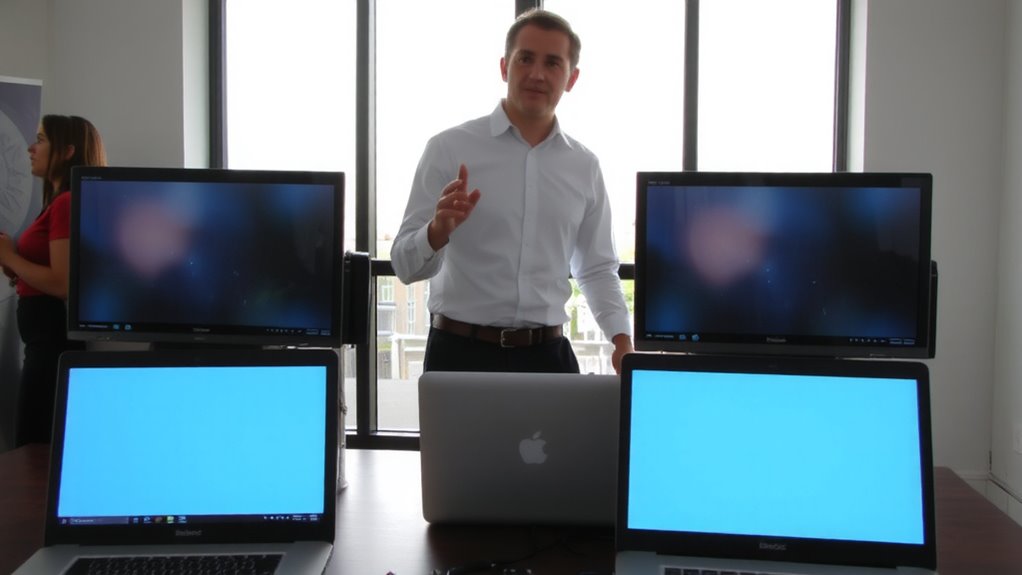
When your screen updates lag behind your voice, even by a second, it breaks trust and clarity-so syncing your screen and speaker in real time isn’t optional for polished presentations. Real time sync guarantees your audience sees changes the moment you speak, keeping your delivery seamless. Without it, audio delay creates confusion, especially during fast-paced explanations. Most modern conferencing apps support this, but performance depends on your hardware and connection. Built-in laptop mics and cameras often struggle, introducing minor lags that disrupt flow. For reliable results, use USB-C webcams with integrated mics placed close to you to reduce latency. Wired headsets also minimize audio delay better than Bluetooth. Test your setup with a short recording before going live. While premium peripherals improve sync, even budget models can work well with the right settings. Don’t assume plug-and-play works perfectly-always verify real time sync under actual meeting conditions. For optimal video quality and reduced lag, consider one of the best webcams for professional-grade performance.
Fix These 3 Multi-Presenter Screen Sharing Mistakes
A smooth handoff between presenters doesn’t happen by accident-poor screen sharing shifts can derail even well-prepared team presentations. You’ll lose momentum if presenter shifts aren’t rehearsed and timed correctly. The most common mistake? Starting to share before the prior speaker stops, causing display lag or frozen screens. Another issue: not muting your mic during shifts, leading to echo and audio delays that confuse remote viewers. Finally, skipping pre-call tech checks often results in incompatible software or incorrect resolution settings, wasting precious meeting time. Fix these by doing a dry run with all presenters, syncing devices on the same platform version, and using a single, tested computer for screen sharing when possible. While wireless presentation tools offer flexibility, they sometimes add latency-wired connections remain more reliable. Keep shifts tight, clear, and tested to maintain professionalism and flow.
Best Platforms for Spotlight and Shared Screens
What makes one platform stand out for spotlight mode and screen sharing? It’s not just about flashy tools-it’s platform compatibility and seamless feature integration. Zoom leads with reliable spotlight controls and smooth screen sharing, especially across devices, making it a top pick for multi-presenter meetings. Microsoft Teams integrates well with Office 365, so if your team uses Word, Excel, or PowerPoint live, it’s practical-but spotlight mode feels less intuitive. Google Meet improved fast, supporting spotlight and screen sharing simultaneously, though it lags in fine-tuned presenter management. All three support major operating systems, ensuring platform compatibility across Mac, Windows, and Chromebooks. Feature integration in Zoom allows presenters to switch smoothly without dropping feeds. But watch bandwidth-high-resolution sharing eats data. No platform is flawless, but for precision and control, Zoom’s structure gives you the edge, assuming your internet can keep up.
On a final note
Spotlight mode with active screen sharing usually works better in multi-presenter meetings. It keeps attention on the current speaker while showing their screen, reducing confusion. Platforms like Zoom and Teams handle this well, syncing video and content smoothly. But make sure your internet is stable-high upload speeds (at least 5 Mbps) are needed. Also, test audio sync beforehand; delays can disrupt flow. Warranties on webcams or mics don’t fix poor setup, so check settings every time.