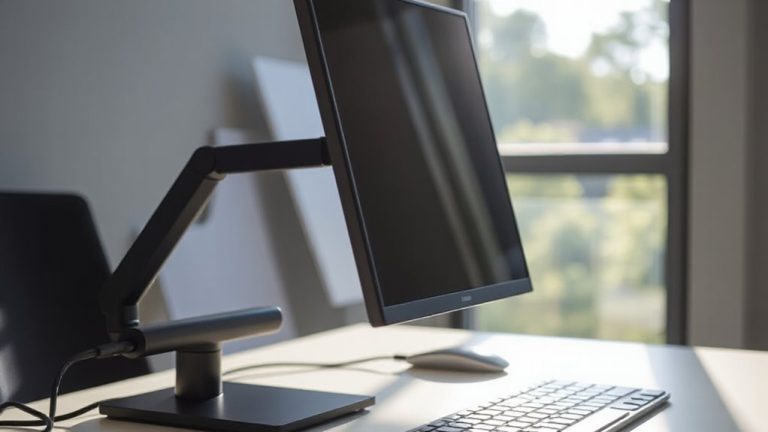
Concealing Webcam, Mic, and Speaker Cords With Magnetic Mounts
Use magnetic mounts with neodymium magnets and rubberized coatings to securely hide your webcam, mic, and speaker cords-just confirm your desk surface is ferromagnetic by testing it with a fridge magnet first. Avoid stainless steel or thick glass, as they weaken hold. Install with 3M VHB tape for lasting placement, and space magnetic clips every 6–8 inches to manage tension. For best results, pair mounts with steel plates on non-magnetic desks. You’ll see how pros avoid clutter, even with heavy cable loads.
Notable Insights
- Use magnetic clips every 6–8 inches under the desk to secure and hide webcam, mic, and speaker cords neatly.
- Attach steel plates to wooden or aluminum desks to enable strong magnetic mounting for cable management.
- Choose neodymium magnetic mounts with rubberized coatings to prevent slippage and protect cables from tension.
- Plan cable routes in advance to avoid interference with speakers or power supplies and reduce sagging.
- Clean surfaces with alcohol before applying adhesive-backed mounts to ensure long-lasting, residue-free positioning.
Choose the Right Magnetic Mounts for Your Devices
While some magnetic mounts barely hold lightweight webcams, you’ll want one rated for at least 2x the weight of your device to prevent slippage over time-especially if you’re mounting near a monitor edge or on a metal desk frame. Mount strength isn’t just about magnet size; it’s about engineered grip. Look for mounts with neodymium magnets and rubberized coatings-they resist shifts from vibration or cable tension. You also can’t ignore material compatibility: your desk or monitor bezel must be ferromagnetic. Stainless steel or aluminum frames? Those often fail. Test with a fridge magnet first. Even strong mounts fail silently if the surface won’t hold. Check product specs for pull-force ratings (measured in pounds) and confirm they cover your gear’s weight. And remember-over time, repeated mounting and dismounting wear down both the mount and surface. Choose durable builds with reinforced housings, not just strong magnets.
Install Magnetic Mounts Without Damaging Your Desk
Your desk’s surface is safe if you install magnetic mounts the right way-using adhesive pads instead of screws whenever possible. Always check surface compatibility before applying any mount; smooth, non-porous materials like metal or laminated wood work best. If you’re unsure, test with temporary adhesive alternatives like reusable mounting putty. For long-term setups, opt for 3M VHB tape-tested to hold up to 5 lbs per square inch-on clean, dry surfaces. A proper cable management solution can significantly reduce clutter and improve workspace efficiency. Below are common desk materials and recommended adhesives:
| Material | Adhesive Type |
|---|---|
| Laminate | 3M VHB tape |
| Metal | Magnetic base (no glue) |
| Wood (sealed) | High-bond adhesive pad |
| Glass | Use with caution |
Peel slowly if repositioning to avoid residue. Warranty coverage often excludes cosmetic damage, so follow instructions closely.
Hide Cords Behind and Under Your Desk Using Magnets
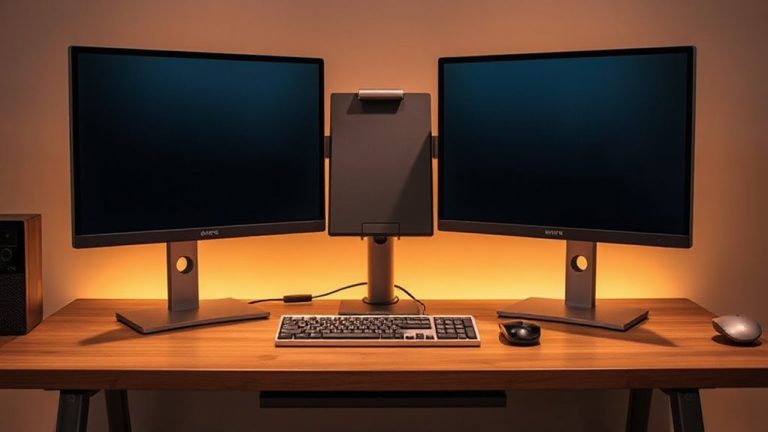
Mounting gear with magnets doesn’t stop at holding your webcam or mic in place-those same magnetic systems can keep your desktop clutter-free by securing cords along the desk’s underside. You can use small, strong neodymium magnets to guide cable routing neatly behind monitors or under the desk frame. Simply attach adhesive-backed magnetic clips every 6–8 inches to hold power and audio cables in place. This method boosts desk organization without permanent modifications. Most strips support up to 3–5 pounds, enough for lightweight USB or 3.5mm cables. Just don’t overload them-thicker power cords may sag or detach. Magnets work best on steel desk frames; wooden or aluminum desks need mounted steel plates. While setup takes under 10 minutes, check cable tension weekly. Poor placement can lead to snagging, so plan your cable paths before sticking anything down. For even cleaner results, consider using cable hiding options that integrate seamlessly with magnetic mounting systems.
Fix Common Magnetic Mount Problems in Seconds
Why do your magnetic cable mounts keep slipping or failing to hold? Most often, it’s due to magnetic interference or alignment issues. If your mount is near electronics like speakers or power supplies, stray fields weaken adhesion-move it a few inches away. Check that the metal plate and magnet are perfectly aligned; even a 2 mm gap cuts holding strength by up to 40%. Use mounts rated for at least 2 kg if securing thicker cables. Cheap magnets lose charge over time-stick with neodymium. Surface cleanliness matters: wipe the desk and backing plate with alcohol. Avoid painted or laminated spots that create air gaps. While magnetic mounts offer quick fixes, they demand precision. Test under real load before finalizing placement. And remember: they won’t fix poor cable management-just make it less visible. For a truly tidy setup, combine magnetic mounts with a full cable management solutions strategy.
Ditch Tape and Clips: Magnets Work Better
Strong, clean cable management starts by skipping tape and plastic clips entirely-magnetic solutions hold better and adapt faster when rerouting cords. With magnetic adhesion, you secure webcam, mic, and speaker cables firmly to metal surfaces or mounts without residue or slippage. They maintain precise cable alignment, reducing tangles and strain on connectors. Unlike rigid clips, magnets adjust instantly when you change desk layouts.
| Feature | Tape/Clips | Magnetic Mounts |
|---|---|---|
| Adhesion Type | Residue-prone, weak over time | Strong magnetic adhesion |
| Adjustability | Low – fixed placement | High – reposition freely |
| Cable Alignment | Often messy, uneven | Consistent, aligned routing |
| Surface Impact | May damage finish | No residue, safe on surfaces |
Magnets deliver cleaner results, but only work reliably on ferromagnetic surfaces-test yours first. Not all cables stick, so check compatibility.
On a final note
You’ll love how magnetic mounts tidy your workspace-strong neodymium magnets hold webcams and mics securely while allowing quick repositioning. They save desk space and eliminate clutter better than tape or plastic clips. Just make certain your devices have metal plates or cases; otherwise, adhesives may fail. Most mounts support up to 2 lbs, so check weight specs. Use with cable trays or under-desk channels for clean, full cord concealment. Warranties typically cover 1–2 years, but avoid moisture-heavy areas.