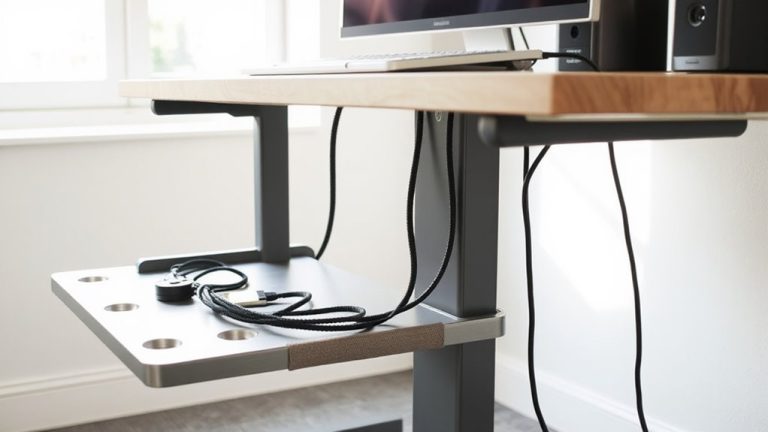
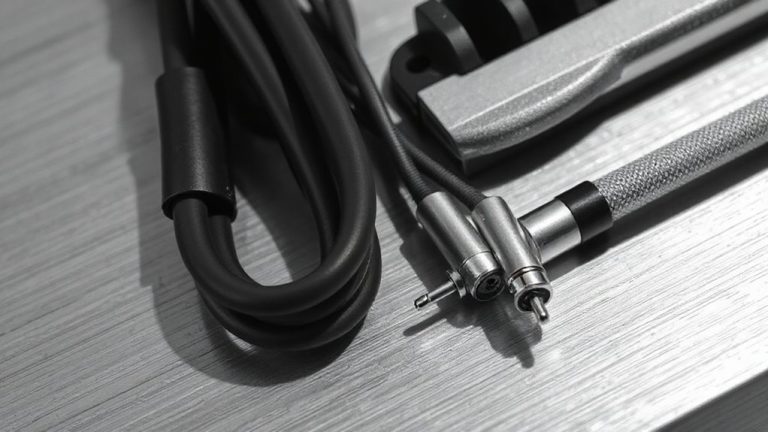
Using Cable Rings Attached to Desk Feet to Anchor Loose Wires
You can quickly tame loose desk wires by snapping stretchable cable rings onto desk legs-no tools needed. They grip best on 2” to 3.5” legs and hold bundled cords securely if not overstretched. Use TPU or reinforced nylon rings for heavy chargers or thick HDMI cables, and pair with Velcro straps for tangle-free routing. Just avoid oversized frames or high humidity, where grip may fail. Try spacing them every 6–8 inches for clean, snag-free results that work as part of a smarter setup.
Notable Insights
- Cable rings stretch over desk legs to anchor and guide loose wires without tools or adhesives.
- Place rings a few inches from the floor to reduce cord slack and prevent tangles.
- Use only on standard 2” to 3.5” legs; oversized or metal frames may cause poor fit.
- Bundle cords by function first, then secure with rings to maintain clean cable management.
- Avoid over-stretching to prevent tears, especially with thick bundles or in humid conditions.
How Cable Rings Solve Desk Cable Chaos
Cable rings cut through desk cable chaos by bundling cords together in an organized, accessible way-no more tangled wires snaking across your workspace. You’ll notice cleaner cable management aesthetics right away, which aligns with current desk organization trends favoring minimalism and function. These rings let you group power, data, and audio cables securely while maintaining quick access when needed. Most models stretch to fit bundles up to 1.5 inches thick and rebound reliably over time. They’re typically made from durable TPU rubber, tested for over 5,000 flex cycles without cracking. While they don’t anchor cables to surfaces alone, they simplify routing before using other solutions. Keep in mind: oversized bundles can strain the ring’s elasticity, leading to slippage. For best results, pair them with a dedicated anchor point. They’re affordable-usually under $10 for a pack-and come with no warranty, but real-world use shows long-term reliability if not over-stretched. A great option for maintaining a tidy workspace is using product roundup recommendations to identify compatible accessories.
How to Attach Cable Rings to Desk Legs (No Tools Needed)
While they won’t hold cables in place on their own, attaching cable rings to desk legs is a quick, tool-free way to keep cord bundles tidy and within reach. You just stretch the elastic loop over the leg-no adhesives or hardware needed. Cable ring placement matters: position them a few inches from the floor to guide cords neatly without tension. Desk leg compatibility varies-most rings fit standard 2” to 3.5” square or round legs, but oversized or metal-frame legs may limit stretch. Check your desk leg shape and material; plastic-coated metal or wood works best. Avoid forcing the ring, as over-stretching can cause tear or slip. Rings made of durable silicone or TPU hold up better over time. Though convenient, they’re not ideal for heavy cable loads. You’ll need to bundle cords first with ties for best results. Reliability depends on fit and usage. For more effective organization, consider pairing these with other cable management solutions.
Best Cable Rings for Chargers, Monitors, and Thick Cords
You’ll want something sturdier than basic elastic loops when managing heavy chargers, monitor cables, or thick HDMI bundles. Opt for cable rings made from reinforced nylon or steel-reinforced silicone-these offer a durable material choice that resists sagging and splitting under load. Rings with 1.5-inch inner diameters fit most power bricks and bulky connectors without straining. For cable management aesthetics, choose matte black or neutral gray to blend cleanly with modern desks. Brands like CableMatters and AmazonBasics offer pack of six with 10-year warranties, tested to support up to 5 lbs of tension. While pricier than fabric loops, they last years without fraying. Just make certain your desk leg isn’t wider than 2 inches-the rings must snap on firmly. Over-tightening can crack cheaper models, so check fit before full installation. A product roundup can help identify top-rated options tailored to your setup.
How to Route Cables Without Tangles
Once you start routing cables mindfully, tangles become preventable-not just something to fix after they happen. Good cable management begins with grouping cords by function-like power, data, and peripherals-then routing them along dedicated paths. Use cable rings on desk feet to anchor lines close to their source, reducing slack that leads to snarls. Keep wire organization consistent: route thicker cords first, leaving space for airflow and movement. Don’t overfill rings; most hold 4–6 standard cables before causing pinch points. Flat cables tangle less than round ones, but aren’t always compatible with high-power devices. Velcro straps work better than zip ties for adjustments. Even with smart routing, dynamic setups-like sit-stand desks-need periodic checks. Done right, cable management saves time and reduces wear. But it’s not one-size-fits-all-your device count and desk layout will dictate what works best.
Mistakes to Avoid With Desk-Foot Cable Rings
Mounting cable rings on desk feet seems like a reliable fix for messy wiring, but common errors can turn this neat solution into a frustration. You’ll run into issues if you ignore improper tension-cinching cables too tight stresses insulation, while leaving them too loose defeats the purpose. Aim for snug but flexible routing that allows slight movement. Uneven spacing is another pitfall; placing rings too far apart lets wires sag, while clustering them restricts access and looks cluttered. Space them 6–8 inches apart for ideal support and clean lines. Use durable metal rings rated for your cable weight, and check load limits. Don’t skip testing: plug everything in and move your chair to see if wires snag. Poor setup risks wear over time, especially with frequent adjustments. Do it right, and the system stays tidy and functional.
Other Smart Uses for Cable Rings in Your Home Office
Cable rings aren’t just for cleaning up desktop clutter-they can be a versatile solution for managing wires in other parts of your home office, provided you use them thoughtfully. You can achieve clean cable management for lamps by securing power cords along desk legs or baseboards, reducing tripping hazards and keeping floor space clear. For setups with external speakers, cable rings offer effective cord organization for speakers, grouping auxiliary or power cables so they stay aligned and out of sight. Just make sure rings aren’t too tight-over-tightening can damage insulation over time. Stick to rings with smooth inner linings to prevent fraying. They work best when mounted every 12–18 inches along a route, especially on edges where cords bend. While not a full cable channel replacement, they’re a low-cost supplement. Test ring grip strength first; weak adhesives fail in humid climates.
On a final note
You’ll cut clutter fast with cable rings on desk feet-tested models like Loctek and GMYRO hold thick monitor and charger cords securely. They install in seconds, no tools needed, and adjust easily. But check ring diameter first; some won’t fit bulkier cables. These rings stay put under tension but may loosen over time on slick metal legs. Pair them with adhesive clips for long-term reliability. Use them wisely, and they’re a smart, low-cost fix.