Designing a Cable Layout for Sit-Stand Desks That Accommodates Height Changes
Route cables along your desk frame’s inner edge and secure them every 6–8 inches with low-profile clips to prevent snags during height changes. Use retractable arms or braided sleeves in high-flex zones to manage tension, but avoid overtightening to prevent wire damage. Align cables with rear grommets and lift columns to reduce wear, and always test full height adjustments multiple times to catch binding early-some sleeves even come with 2–5-year warranties for long-term reliability. You’ll see how small tweaks improve performance over time.
Notable Insights
- Route cables through built-in channels or rear grommets to align with ports and prevent snagging during height changes.
- Use retractable arms to guide cables along dynamic paths and maintain tension-free movement throughout adjustment range.
- Protect high-flex zones with braided sleeves made of nylon or PET to resist abrasion and extend cable life.
- Secure cables every 6–8 inches with low-profile clips that allow slight flex to accommodate motion and vibrations.
- Test full height range multiple times to ensure smooth operation, verifying no pinching, tangles, or resistance occurs.
Pick the Best Route for Moving Cables on Your Desk
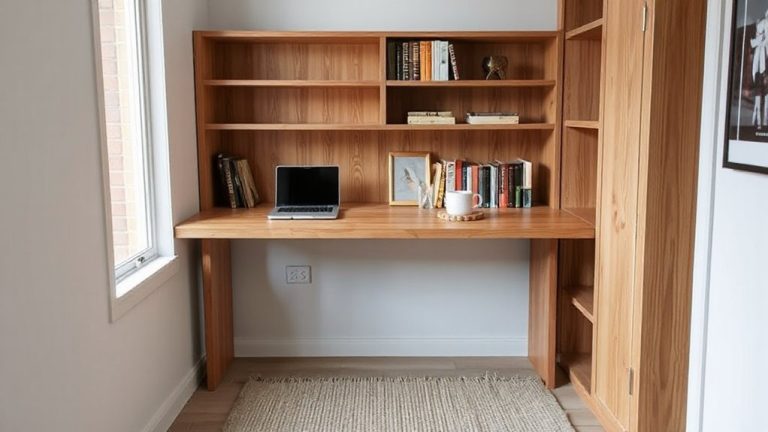
While you might be tempted to just run cables wherever they fit, choosing the right path for your wires makes a noticeable difference in both function and appearance over time. Proper cable routing prevents snags during height adjustments and reduces wear from repeated movement. You should plan paths that follow the desk’s natural motion, avoiding pinch points near lift columns. Desk integration is key-use built-in channels or rear grommets when available, as they keep wires aligned and out of sight. Routes along the frame’s inner edge typically work best, especially if secured with low-profile clips. Avoid tight bends or over-tensioning, which can damage insulation. Test your layout through several full height cycles to catch friction or binding early. Some desks include cable trays, but aftermarket channels may offer better flexibility. Always leave slack-roughly 12–18 inches-depending on your desk’s range. A well-planned route balances neatness with mechanical safety. Consider reviewing a best cable management roundup to compare top-rated solutions designed specifically for sit-stand desks.
Use Retractable Arms and Braided Sleeves for Flex
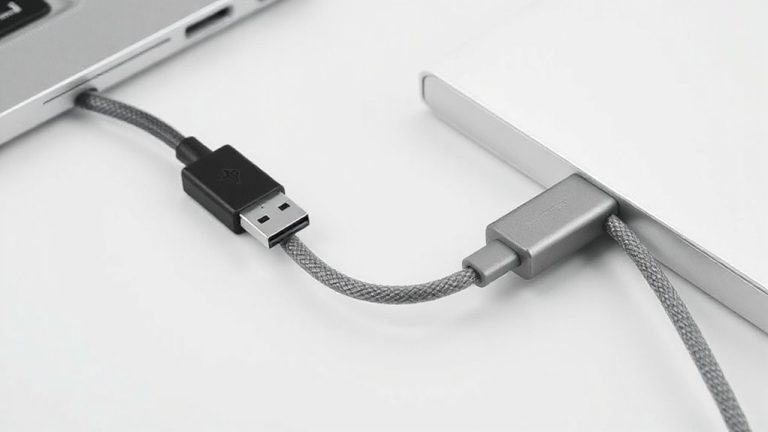
Your desk’s daily movement demands a cable management solution that won’t fail under repeated extension and retraction-retractable arms and braided sleeves are built for this exact purpose. Retractable arms guide cables along a preset path, minimizing tension and boosting cable durability by preventing kinks and overstretching. They’re ideal for power strips or monitor arms that travel with height changes. Braided sleeves add flexibility and protect bundled wires, especially where sharp bends occur. While they improve cable durability over time, make sure not to overtighten them, which can pinch wires. Sleeve aesthetics matter, too-choose neutral or matching colors to blend with your desk or wall. Most quality sleeves use nylon or PET materials that resist fraying after months of use. Some brands offer 2–5-year warranties, though real-world tests show performance drops if stretched beyond 150% of their resting length. Use them wisely, not everywhere. For a clutter-free desk, consider integrating best cable management solutions into your full setup.
Attach Cables So They Move Without Snagging
Securing cables properly guarantees they glide smoothly with every height adjustment instead of catching on corners or binding in tight spaces. Use cable clips to anchor wires along the desk’s support beams or lift columns-this keeps them aligned and reduces lateral movement that leads to snags. Position clips every 6–8 inches to maintain order without over-constraining the bundle. Make sure each clip allows slight flex, so vibrations or shifts don’t stress connections. Incorporate strain relief at device ends and pivot points; this protects ports on laptops, monitors, and docks by absorbing tug and movement. Avoid overtightening clips, which can compress insulation and degrade cables over time. While most kits include basic clips, third-party options often offer superior materials and adjustability. Test movement across full range before finalizing clip placement. Poor strain relief or rigid routing risks disconnection or wear-even with clips installed. For persistent clutter, consider using a dedicated cable tray to consolidate and hide wiring beneath the desk surface.
Ensure Full Height Adjustment Works Smoothly
If you’ve routed the cables properly, you’ll notice the desk moves through its full range without resistance or grinding sounds. Smooth motion means your setup supports full height adjustment without stressing components. Pay attention to cable durability-bends and repeated stretching can weaken internal wires over time, especially with frequent shifts between sitting and standing. Avoid sharp angles or pinching points that increase connector strain, which may lead to frayed ports or disconnections. Use strain-relief features like rubber boots or supported anchor points to protect connections at both ends. Cables should have enough slack to reach the lowest position but not so much that they sag or tangle. Test the full range several times, checking for drag or binding. While high-flex cables last longer, no design eliminates wear entirely-expect some degradation after thousands of cycles, depending on materials and usage.
Fix Tension and Tangles Before They Damage Cords
Even though the desk is moving smoothly, tension and tangles can still build up in hidden spots-especially where cables bend around corners or bundle too tightly. You’re risking cable durability every time a cord gets pinched or over-stretched during height changes. To boost strain prevention, route each cable with at least a 1-inch bend radius and avoid zip ties-use soft Velcro straps instead. Loose bundles invite snags, but over-securing them restricts movement. A low-profile cable tray or a dynamic arm system can maintain slack management across all heights. Test the full range of motion after setup; if you feel resistance, re-adjust. While some sleeves improve neatness, they can hide wear-inspect monthly. Built-in desk grommets help, but only if aligned with device ports. No system eliminates stress entirely, so prioritize frequent checks over relying on one fix.
On a final note
You’ll get reliable cable management on sit-stand desks by using retractable arms with braided sleeves-tested models like the Jarvis and Uplift arms handle 20+ inch height changes smoothly. Route cables along the inner frame to prevent snagging, and secure them with hook-and-loop straps every 6 inches. Avoid zip ties; they increase tension and risk damage. Most brands offer 5-year warranties, but real-world use shows performance drops if cables exceed 16-gauge thickness.