The Hidden Risks of Prolonged Sitting: How Repetitive Strain Injuries Affect Your Home Office Ergonomics
You’re at risk of repetitive strain injury (RSI) if you sit too long with poor posture or repeat motions like typing without breaks. Awkward wrist angles, low chairs, or distant mice strain tendons and nerves over time. Even standing desks won’t help unless you move every 30–60 minutes. Common issues include carpal tunnel and “mouse shoulder,” but results vary-some improve fast, others need more support. Small setup fixes, done right, make a real difference. There’s more to take into account before choosing your next gear.
Notable Insights
- Prolonged sitting with poor posture increases risk of repetitive strain injuries like carpal tunnel and mouse shoulder.
- Awkward wrist angles from improper desk height stress tendons and compress nerves over time.
- Lack of lumbar support and incorrect chair height strain shoulders and neck during work.
- Reduced circulation from sitting too long hinders muscle recovery and worsens inflammation.
- Regular movement breaks and ergonomic adjustments are essential to prevent long-term damage.
What Repetitive Strain Injury Is and How Sitting Causes It

Repetitive strain injury, or RSI, isn’t just a buzzword-it’s a real risk when you sit for hours with poor posture and repeat the same motions, like typing or clicking a mouse. You’re likely building up muscle fatigue without realizing it, especially if your chair lacks lumbar support or your desk forces your wrists into awkward angles. Over time, this strain can lead to nerve compression, causing tingling, numbness, or chronic pain in your hands and arms. Sitting too long without breaks worsens circulation and reduces your muscles’ ability to recover. Even a perfectly set-up workstation won’t help if you don’t move regularly. Standing desks can reduce risk, but only if paired with intentional movement every 30–60 minutes. Consider ergonomics a baseline-good posture matters, but it’s not a fix-all. Real protection comes from consistent breaks, proper alignment, and listening to your body before symptoms escalate. Integrating smart office storage solutions can help maintain an uncluttered workspace, promoting better posture and movement efficiency.
5 Common RSIS From Poor Home Office Ergonomics

You’re probably already aware that staying seated for long stretches can take a toll, especially when your workspace isn’t set up with your body in mind. Poor ergonomics commonly lead to repetitive strain injuries like carpal tunnel syndrome, where wrist compression causes numbness and pain, or “mouse shoulder,” a nagging ache from holding your arm tense while operating your device. These problems arise not just from overuse, but from consistent awkward positioning-like perching your keyboard too high or cradling your mouse at arm’s length. While ergonomic gear like split keyboards or vertical mice can help, they’re not instant fixes. Results depend on proper alignment, daily habits, and taking real breaks. Some users report relief within weeks; others see little change without professional guidance. Effectiveness varies, so adjust expectations and prioritize movement over gadgets. A well-designed best vertical mice can significantly reduce strain by promoting a more natural hand position.
How Your Desk Setup Causes RSI

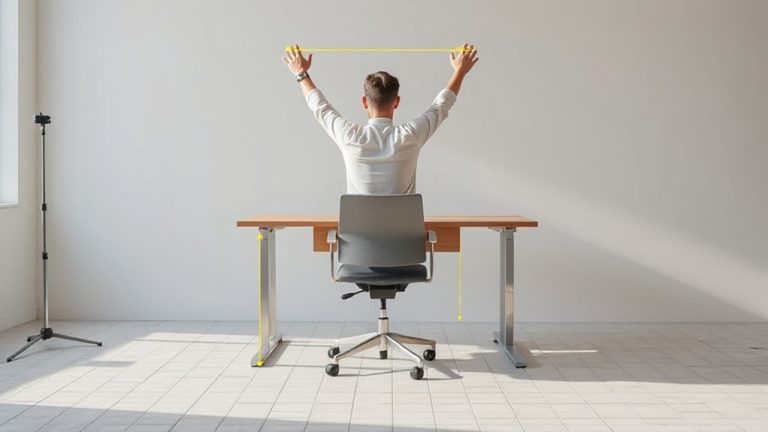
While it might seem like a simple matter of comfort, the way you set up your desk plays a direct role in whether you’ll develop repetitive strain injuries over time-especially if key elements are off by just a few inches. Poor desk alignment forces your wrists to angle unnaturally during typing, increasing pressure on tendons. If your chair height isn’t adjusted so your elbows rest at 90 degrees, your shoulders strain over hours. A desk too high or low distorts posture, compounding stress on neck and wrists. Even minor misalignment, repeated daily, adds up. Ergonomic setups reduce risk-but only if tailored to your body. No one-size-fits-all solution exists. Adjustable desks help, but height alone isn’t enough. Pair proper chair height with monitor level and keyboard position for real benefit. Small tweaks prevent long-term damage, but consistency matters more than gear upgrades. Using best DSLR cameras for streaming can enhance visual clarity during virtual work sessions, reducing eye strain and promoting better posture alignment.
When to Seek Help: Early Signs of Repetitive Strain
A well-adjusted workspace can delay problems, but it won’t erase the need to recognize warning signs when they appear. If you’re feeling persistent tingling, numbness, or dull aches in your wrists, elbows, or shoulders, don’t wait-it could signal early nerve compression. Pain that flares after typing or mouse use, especially if it disrupts sleep, often points to developing chronic inflammation. You might notice stiffness in the morning or weakness when gripping objects. These aren’t just fatigue; they’re alerts. Pushing through worsens damage and lengthens recovery. Seek a healthcare provider if symptoms last more than a week despite rest. Early diagnosis can prevent long-term issues. Imaging and physical tests can confirm conditions like carpal tunnel or tendonitis. Treatments might include targeted exercises, activity changes, or bracing. Ignoring signs risks permanent impairment. Prevention helps, but timely intervention is critical when symptoms arise.
Easy Ergonomic Fixes for Home Workers
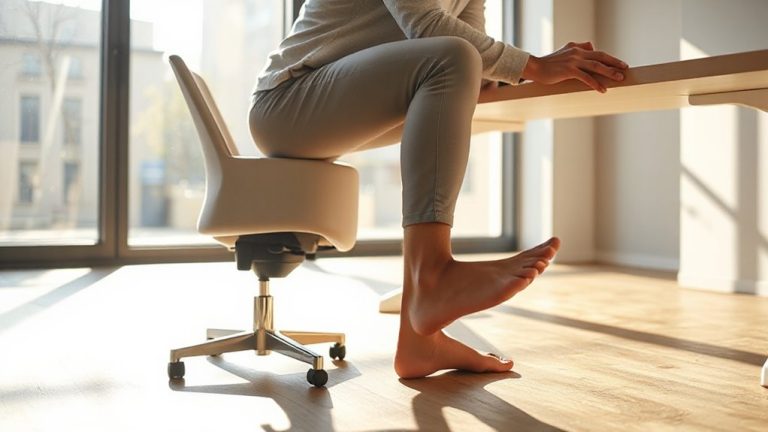
An effective ergonomic setup doesn’t have to be expensive or complicated, but it does require attention to a few key adjustments that can greatly reduce strain over time. Position your monitor at eye level and about 20–30 inches away to support neutral neck posture. Use a chair with lumbar support, or add a cushion if needed, and keep your feet flat on the floor or a footrest. Take standing breaks every 30–60 minutes-setting a timer helps build the habit. Pair these with quick posture checks: roll your shoulders back, unclench your jaw, and relax your wrists. A simple desk riser can help, but even stacking books works temporarily. Most people see improvement in discomfort within weeks. Just remember: short-term fixes aren’t long-term solutions. Test adjustments over days, not hours, and prioritize consistency over gear.
Why Movement Fights RSI From Sitting
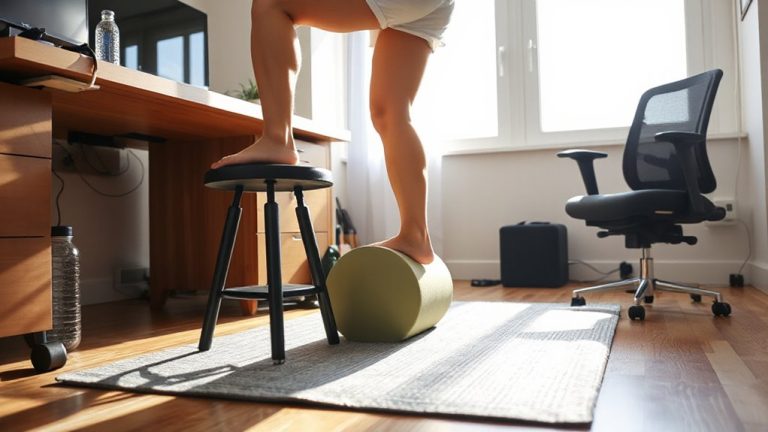
Why does sitting so long leave your wrists stiff and shoulders tight? Because static postures limit blood flow and strain tendons over time, increasing RSI risk. Movement fights that by promoting circulation and resetting muscle tension. You don’t need a standing desk or expensive gear-just active breaks every 30–60 minutes. Set a timer: stand, stretch, walk around for 1–2 minutes. These small shifts build a dynamic posture, reducing load on your spine and joints. Real-world studies show workers who move regularly report less discomfort, even with basic chairs and keyboards. But be realistic-movement isn’t a fix for poor ergonomics. If your screen’s too low or your chair lacks lumbar support, shifting positions won’t fully help. Combine active breaks with proper alignment. Results depend on consistency, not gadgets.
On a final note
You should fix your setup now-RSIs from sitting too long are preventable but won’t cure themselves. A height-adjustable desk helps, especially if you alternate sitting and standing every 30 minutes. Pair it with a chair that supports your lower back, like models with adjustable lumbar rods. Wrist rests and monitor arms reduce strain, but only if your screen is at eye level and elbows bent 90 degrees. Results take consistency, not gadgets.