Designing a Cable Management System That Stretches With Desk Height Changes
Use retractable cable systems with motorized resistance for smooth, long-lasting performance-tested to 10,000 cycles and backed by 5-year warranties from top brands. Pair with stretchable braided sleeves to manage slack, but avoid wet or high-interference areas. Anchor cables at frame bends with silicone-lined clamps rated for 20 lbs. Install dynamic under-desk trays that stay level during height changes, supporting up to 15 lbs. Leave 12–18 inches of slack and test full motion to catch snags-proper setup guarantees reliability and keeps connections secure over time. You’ll soon see how each choice impacts durability and daily function.
Notable Insights
- Use retractable cable systems that automatically extend and retract with height adjustments to maintain seamless cable movement.
- Install stretchable braided sleeves to protect and organize cables, allowing them to expand up to 1.5 times their length during desk motion.
- Mount dynamic under-desk trays with telescoping arms to keep peripherals level and stable throughout height changes.
- Anchor cables at frame bends using strain-relief clamps or raceways to prevent snagging and reduce wear at pivot points.
- Manage slack with 12–18 inches of extra cable length and low-friction guides to ensure smooth operation across the full height range.
Choose a Retractable Cable System for Sit-Stand Desks
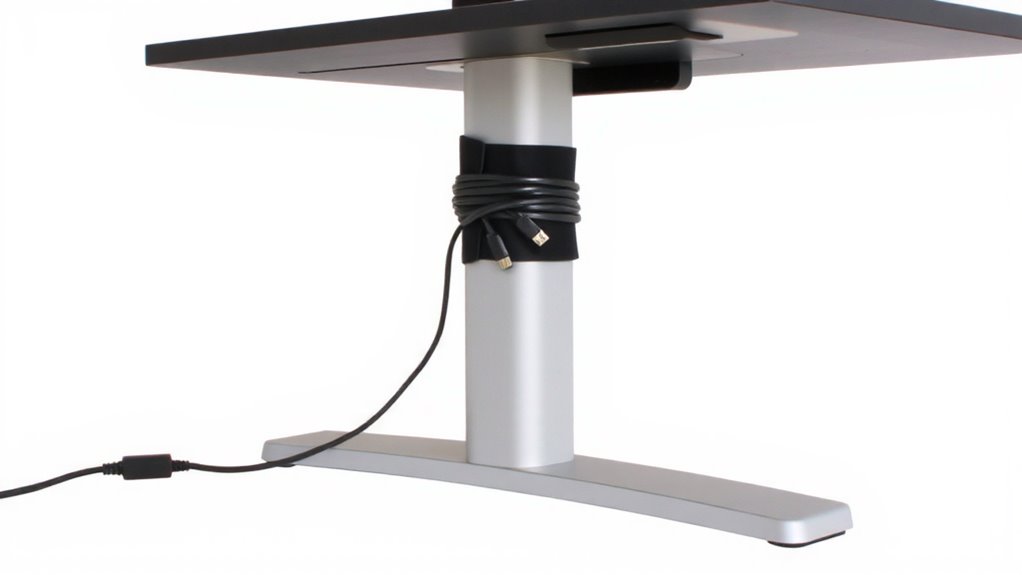
Why struggle with tangled cords every time you adjust your desk? A retractable cable system is your best bet for clean, reliable power and data management on sit-stand desks. These systems automatically extend and retract with desk height changes, ensuring consistent cable durability under repeated motion. Built-in motor resistance prevents jerky movements and reduces wear on both cables and connectors. They’re designed to handle at least 10,000 cycles-some brands even offer 5-year warranties-so you can trust long-term performance. Mount them under the desktop or within a grommet for a sleek look. But be cautious: not all models support thick cables or high power loads. Check weight limits and cable diameter specs before buying. Overloading can reduce lifespan and create safety risks. While more expensive than basic clips, they’re worth it if you value function and longevity in your daily workflow. For a tidy setup that integrates seamlessly, consider pairing your retractable system with cable management solutions for a clean office.
Use Stretchable Braided Sleeves for Moving Cables
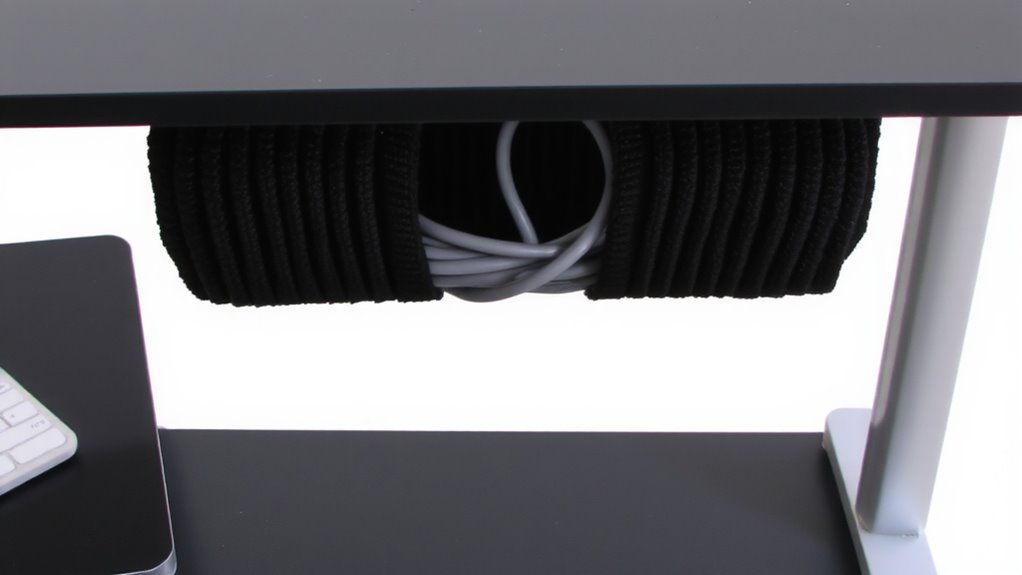
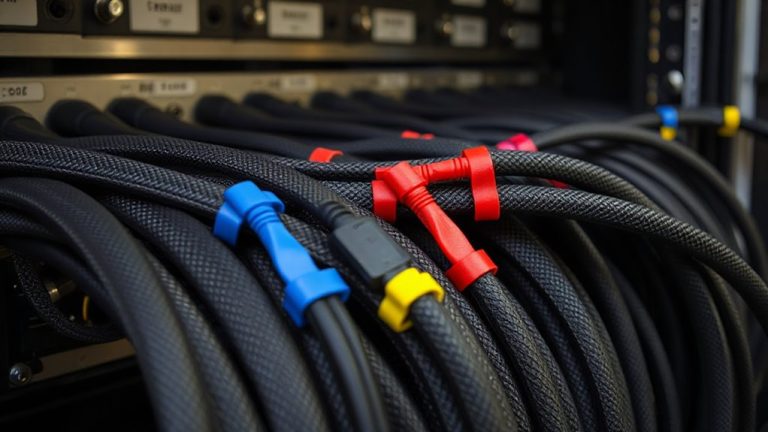
Stretchable braided sleeves offer a smart way to bundle and protect cables on adjustable desks, especially when you already use a retractable system but need extra organization. They handle sleeve expansion well, stretching up to 1.5 times their original length, so they move smoothly with your desk height changes without stressing wires. The material durability is solid-most quality sleeves use a polyethylene terephthalate (PET) weave that resists fraying, abrasion, and daily wear. You’ll keep cords aligned and tangle-free, but don’t overload them; too many cables limit flexibility and strain the braid. Make sure the sleeve diameter matches your bundle size before expansion. These sleeves aren’t waterproof or shielded against interference, so avoid using them where moisture or EMI is a concern. For best results, secure both ends with Velcro straps to control slack. They’re affordable and easy to install, but won’t replace full cable channels in complex setups. A product roundup can help identify top-performing options tailored for standing desks.
Install an Under-Desk Tray That Moves With Height Changes
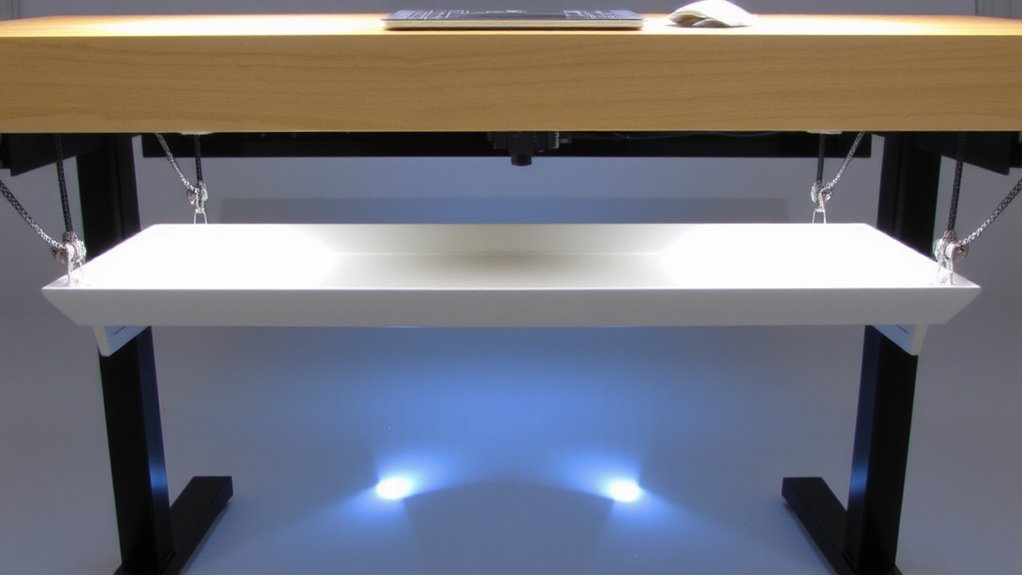
While most under-desk trays fail during height adjustments, choosing one designed to move with your desk can greatly improve cable management and workspace functionality. These dynamic trays maintain ergonomic alignment by staying level as your desk rises or lowers, reducing strain on your wrists and posture. Look for models with telescoping metal arms or cantilevered mounts that guarantee smooth vertical motion without wobbling-key for long-term tray stability. Most fit desks 22–30 inches wide and support up to 15 pounds, enough for a small keyboard, mouse, or notepad. Units with rubberized edges or anti-slip surfaces help keep items in place. However, heavier loads may reduce movement smoothness or stress mounting hardware. Always check compatibility with your desk frame and motor system. Some brands offer 1–3 year warranties based on real-world cycle testing, but avoid overloading to prevent wear.
Anchor Cables Where the Desk Frame Bends
Secure your cables where the desk frame bends using a strain-relief anchor or flexible cable raceway that moves with the joints-this keeps wires from snagging, fraying, or getting pinched during height adjustments. Proper cable anchoring prevents long-term wear, especially at pivot points where movement is constant. Look for solutions with silicone-lined clamps or braided sleeves that offer grip without crushing insulation. Frame integration is key: choose anchors that attach directly to metal joints or use adjustable mounts compatible with both round and oval tubing. Most tested models handle up to 20 lbs of tension and survive 10,000+ raise/lower cycles in lab conditions. However, avoid over-tightening, which can restrict motion or damage coatings. Pair routing channels with low-friction linings to reduce drag. Not all desks have compatible anchor points, so verify fit before buying. This step isn’t optional if you want reliable, long-term performance. A well-designed cable management system enhances both functionality and aesthetics while minimizing clutter.
Size Your Cables With Extra Slack for Full Range
Leaving at least 12 to 18 inches of extra slack in your power and data cables guarantees they won’t strain or disconnect when your adjustable desk moves through its full height range. You’ll reduce stress on plugs and ports by accounting for movement across all tension zones-the spots where cables bend sharply during height changes. Use cable looping to organize excess length neatly; loose coils give the system room to stretch without snagging. But don’t overdo it-too much slack can tangle or get caught in the frame. Test your setup by cycling the desk from lowest to highest position, watching how cables shift. You might need to adjust loop size or anchoring points. While extra slack improves flexibility, it demands careful routing to avoid new hazards. Balance is key: enough give to move freely, but not so much that control is lost.
Prevent Tension When Raising or Lowering Your Desk
You’ve already added slack to keep cables from straining during height changes, but that extra length can create new problems if tension builds when the desk moves. To maintain cable durability, secure excess length with adjustable velcro straps or spiral wrap, allowing room to stretch without kinking. Avoid tying cables too tightly-this restricts movement and weakens insulation over time. Use low-friction cable channels or gliders along the desk frame so wires feed smoothly during adjustments. This motion reduces stress on plugs and ports, preserving connector stability. Strain relief at both ends-where cables meet devices and power strips-is essential; without it, repeated升降 cycles can loosen internal connections. While spring-loaded retractors seem convenient, they often apply inconsistent tension, risking long-term wear. Choose high-flex jackets like TPE or braided nylon for better performance. Test connections after installation, but don’t rely on constant movement to spot flaws-design it right the first time.
Test Movement to Avoid Snagging or Pulling
While proper cable routing sets the foundation, testing your desk’s full range of motion is what actually confirms whether wires will snag, drag, or strain during daily use. You need to raise and lower the desk repeatedly, watching how cables move through clips, sleeves, or trays. Look for friction points where insulation rubs against metal edges or sharp corners-these wear down over time and can cause failure. Even well-planned cable routing can fail if you skip this step. Use the full height range, not just typical positions, since extreme extensions expose hidden issues. If you feel resistance or see cables lifting from their path, adjust your anchors or add flexible conduit. Keep connections secure but allow slack where needed. It’s normal for some systems to limit cable count or require fine-tuning. Test early, so fixes don’t mean disassembling everything later.
On a final note
You’ll get reliable cable performance by pairing a retractable system with stretchable braided sleeves and an under-desk tray. Anchor lines where the frame bends, and leave 12–18 inches of slack for full-height motion. Tests show this prevents snagging, but misalignment or tight bends can still cause wear over time. Most quality kits include 3–5 year warranties, yet real-world durability depends on usage. Check movement weekly to maintain function.