Using Monitor Risers With Storage to Combine Ergonomics and Organization
You should use a monitor riser with storage to improve posture and cut desk clutter. Raising your screen 20–28 inches helps align the top of the monitor at eye level, reducing neck strain. Built-in shelves hold keyboards, chargers, or cables, while cable grommets keep cords tidy. Look for models with at least 20 lbs capacity, non-slip surfaces, and a design that fits your desk-some take up considerable space. Units with a 1-year warranty and tool-free assembly offer reliable, quick setup. Smart features help, but size and weight limits matter most-your best pick depends on your desk and gear setup.
Notable Insights
- Elevate monitors to align the screen top at or slightly below eye level to reduce neck and back strain.
- Use built-in storage compartments to organize keyboards, cables, and office supplies, minimizing desk clutter.
- Hide power strips and route cords through integrated cable management channels for a safer, cleaner workspace.
- Choose risers with non-slip surfaces and raised edges to securely hold monitors and prevent item displacement.
- Select durable models with sufficient weight capacity and tool-free assembly for quick, stable setup.
What Makes Monitor Risers With Storage a Must-Have for Cleaner Workspaces
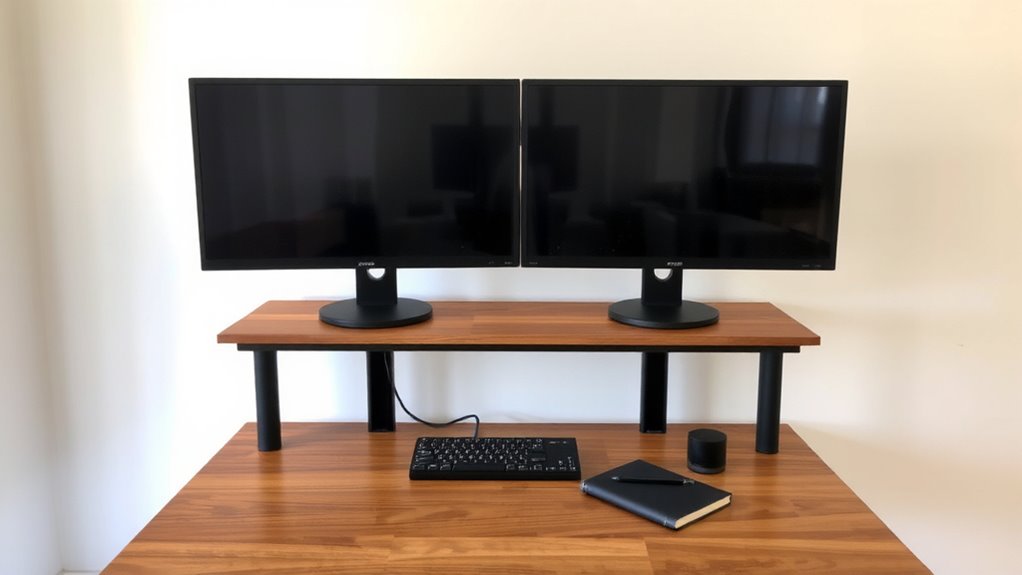
You’ve probably seen cluttered desks with cables snaking everywhere and office supplies spilling over the edges-maybe yours is one of them. A monitor riser with storage can transform that chaos, especially when cable management and desk aesthetics matter to you. These risers lift your screen to eye level while hiding power strips and cords underneath, reducing tangles and tripping hazards. The built-in shelves or drawers keep notebooks, chargers, and peripherals off the surface, giving you a cleaner, more functional workspace. Most models range from 2 to 6 inches in height and span at least 24 inches wide, fitting standard monitors. Solid wood or metal builds last longer but cost more. Some come with foam padding to prevent sliding and 1-year warranties. Just make sure your monitor’s base fits under the platform-some bulkier stands won’t. Top picks in our roundup include models with durable wooden construction that blend style with long-term usability.
Fix Your Posture: How Monitor Riser Height Prevents Neck and Back Pain
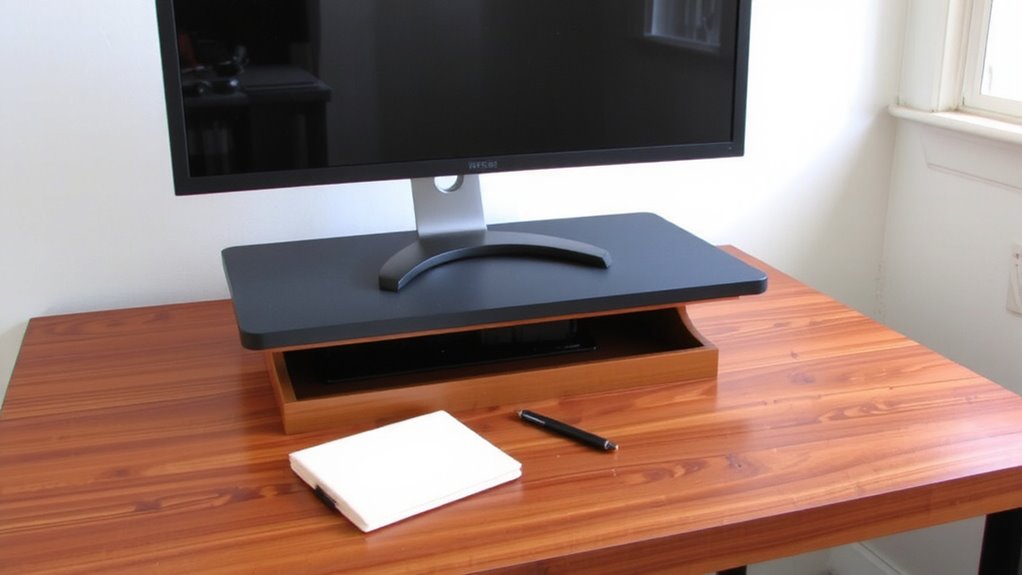
When set at the correct height, a monitor riser can make a meaningful difference in reducing neck and back strain over time. Proper ergonomic alignment means positioning the top of your screen at or slightly below eye level, so you’re not constantly looking down. This supports natural posture correction by encouraging a neutral head and spine position. If your monitor sits too low, you’ll lean forward or crane your neck, increasing tension. A riser elevates your screen to a favorable viewing height-typically 20–28 inches from desk to screen top, depending on your seated position. This adjustment doesn’t fix poor sitting habits alone, but combined with an adjustable chair and mindful breaks, it’s a practical step toward better long-term comfort. Keep in mind: too high a riser can cause shoulder tension, so measure your line of sight before choosing one. Ergonomic alignment starts with small, deliberate changes.
Built-In Storage That Holds Keyboards, Cables, and Office Supplies
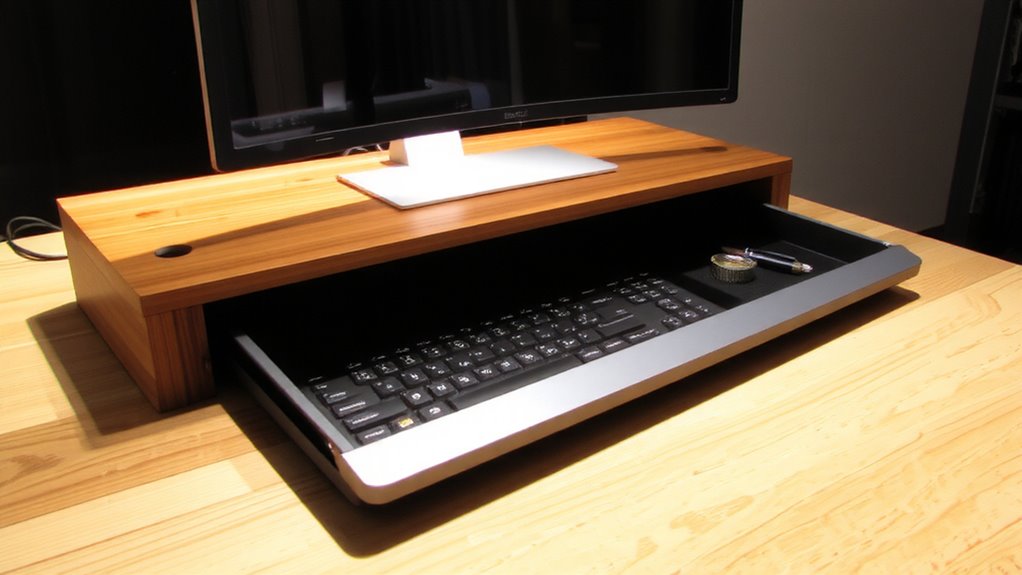
While ergonomics often focus on screen height and seating, a well-designed monitor riser with built-in storage can substantially clean up clutter and boost workspace efficiency. You’ll love how the integrated compartments keep your keyboard, charger, and notepads within reach yet out of the way, directly cutting down on desk clutter. Smart cable management channels or grommets let you route power and data cables neatly through the riser, minimizing tangles and tripping hazards. This isn’t just about looks-organized cables mean less time troubleshooting and safer adjustments. Most models offer 2–4 storage cubbies or sliding trays, sized perfectly for standard keyboards and mice. Just remember: adding storage increases footprint, so measure your desk first. Some units wobble under heavy monitors if not properly balanced. Choose ones with rubber feet or weight ratings over 20 lbs for stability. For those also looking to store documents neatly, consider pairing your setup with one of the best file cabinets for home office use.
Top 5 Features to Look for in a Monitor Riser With Storage
A standout monitor riser with storage balances function, durability, and smart design-starting with a weight capacity of at least 20 lbs to handle most monitors safely. Look for built-in cable management channels that keep cords organized and out of sight, reducing clutter and improving desk aesthetics. A non-slip surface prevents your monitor from shifting, while raised edges help contain small items. Choose materials like solid wood or reinforced steel for long-term stability, but weigh aesthetics against practicality-some sleek models sacrifice interior space. Make certain interior dimensions fit your keyboard or accessories snugly. Ventilation slats help dissipate heat, but deep compartments may limit airflow. Always verify warranty coverage-better models offer at least a 1-year guarantee. Test stability by gently rocking the unit; wobbling indicates poor construction.
Set Up Your Monitor Riser in Minutes: No Tools Required
Though assembly sounds like a hassle, most quality monitor risers with storage truly require no tools and can be up and running in under five minutes, so you’ll spend less time adjusting screws and more time optimizing your workspace. You’ll appreciate the quick assembly-just snap the legs or supports into place, and the frame locks securely. Easy placement lets you center the riser on your desk without sliding, especially if it has non-slip pads. Most models use interlocking pieces made from durable ABS plastic or aluminum, so stability doesn’t require hardware. Just make sure your desktop surface is flat and clear of debris. Keep in mind that larger monitors may shift balance, so check weight limits-usually 20–30 lbs. While tool-free setup saves time, improper alignment can wobble, so follow the guide closely. Test height and clearance before stacking accessories.
On a final note
You should get a monitor riser with storage if you want a cleaner desk and better posture. The right height reduces neck strain, and built-in shelves free up space for keyboards or supplies. Look for sturdy materials, at least 6 inches of clearance, and models tested for long-term durability. Just make sure it fits your monitor size and doesn’t limit cable access. Assembly is usually tool-free, but check warranty-some brands offer only 1 year.